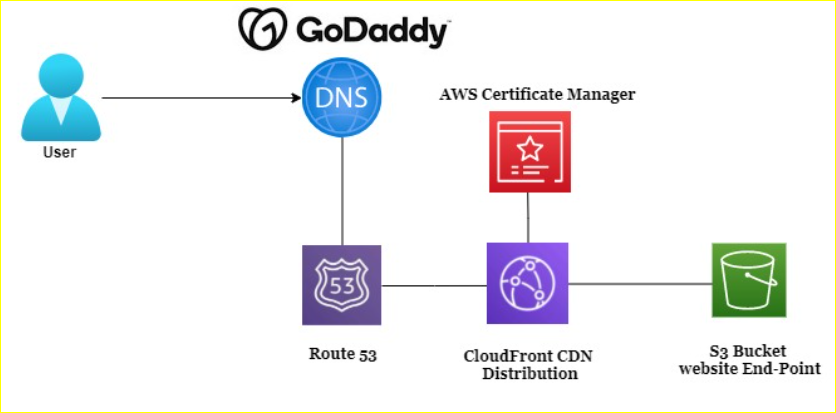
Encrypt Static Website with SSL Certificate issued from Amazon ACM
S3Bucket CloudFront Amazon ACM GoDaddy
Hi Folks, if you’re hosting a static website on Amazon S3, you’ve probably noticed that HTTPS isn’t natively supported. But don’t worry—there’s a way to secure your site using SSL certificates from AWS Certificate Manager (ACM) and Amazon CloudFront. In this guide, I’ll walk you through the process step by step, so you can serve your website securely over HTTPS.
Note: This article focuses specifically on using AWS CloudFront to achieve this, though other AWS services like Elastic Load Balancer and API Gateway can also be used.
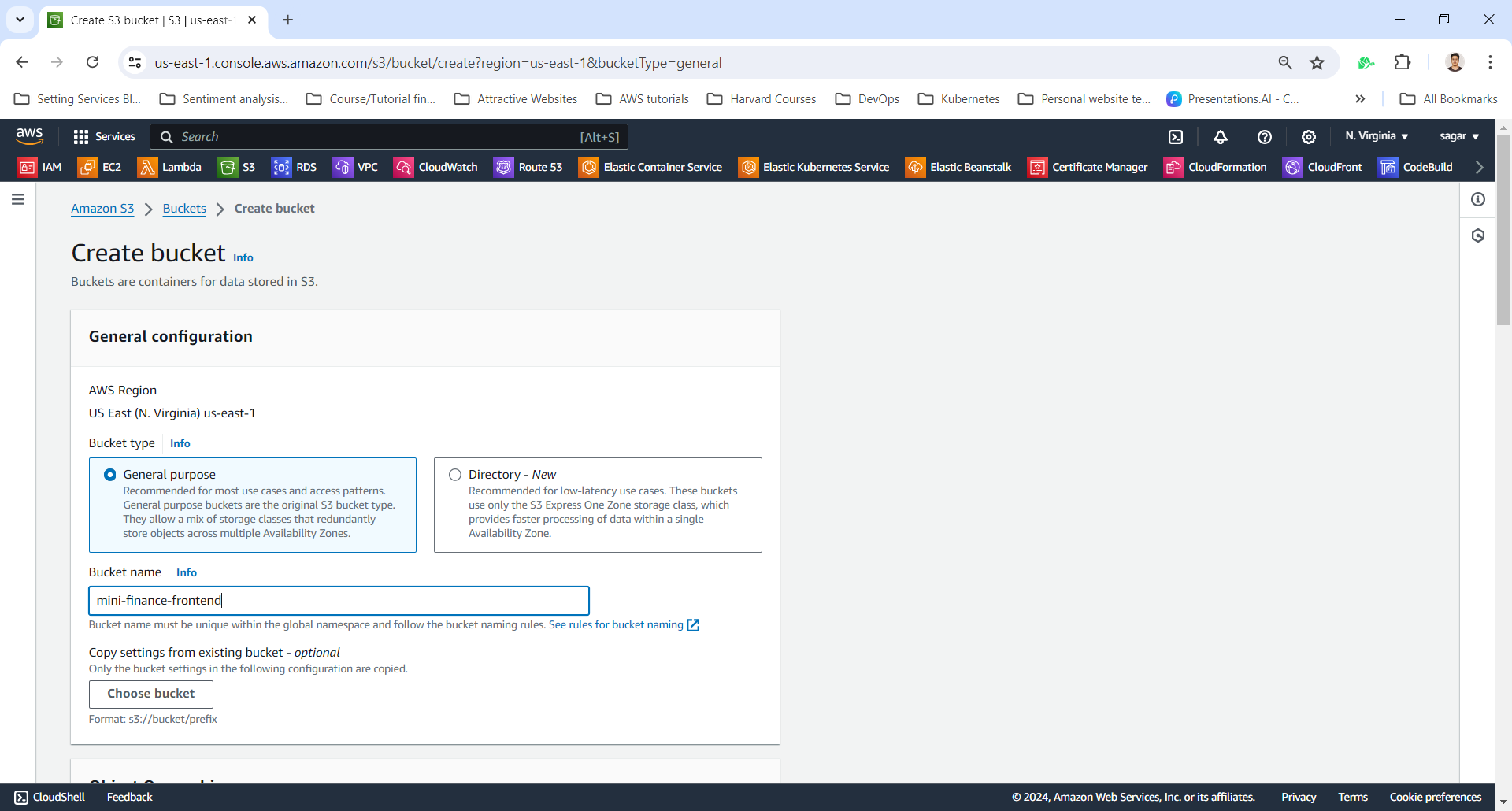
1. Create S3 Bucket
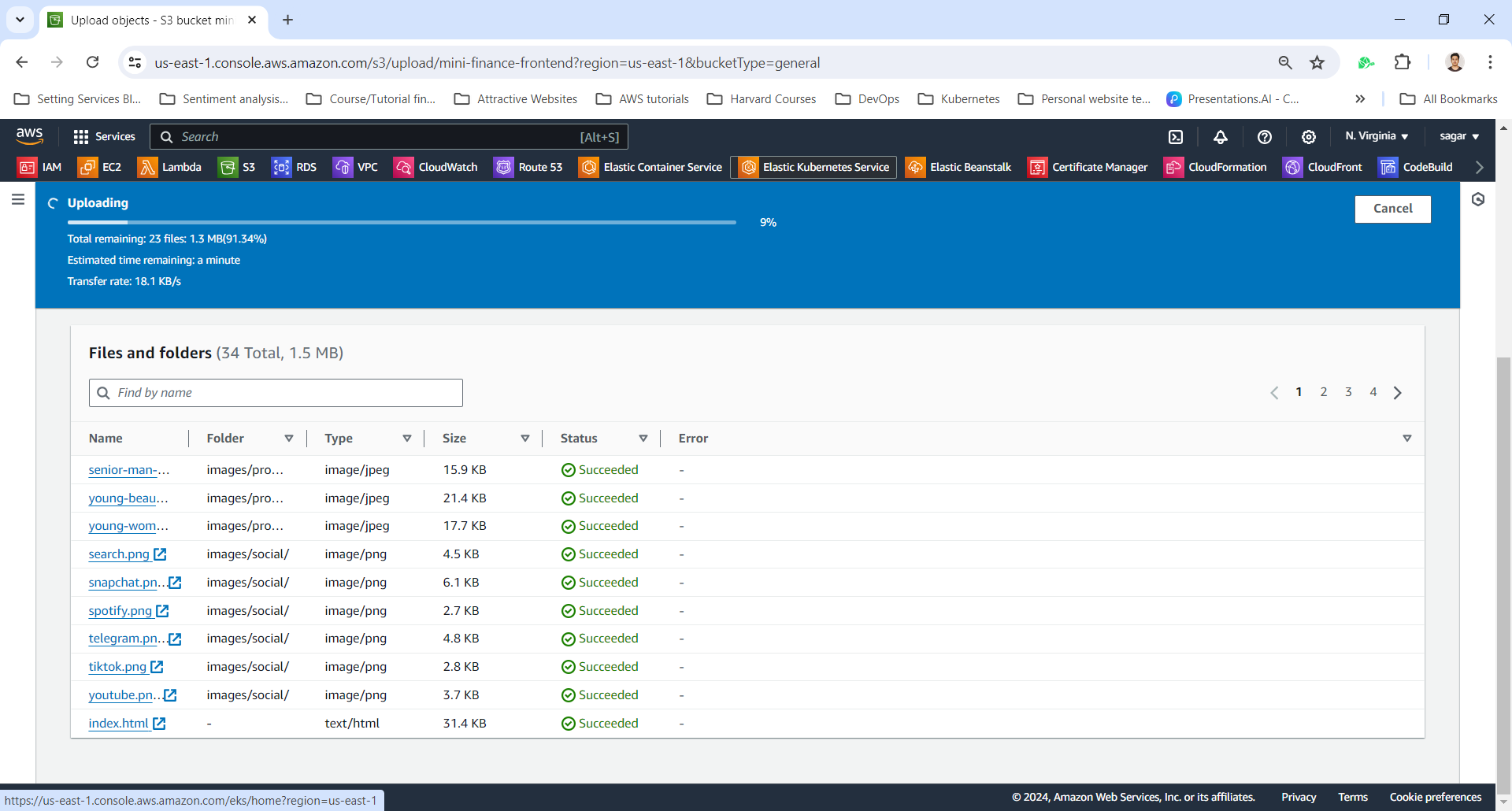
2. Upload Website Artifacts
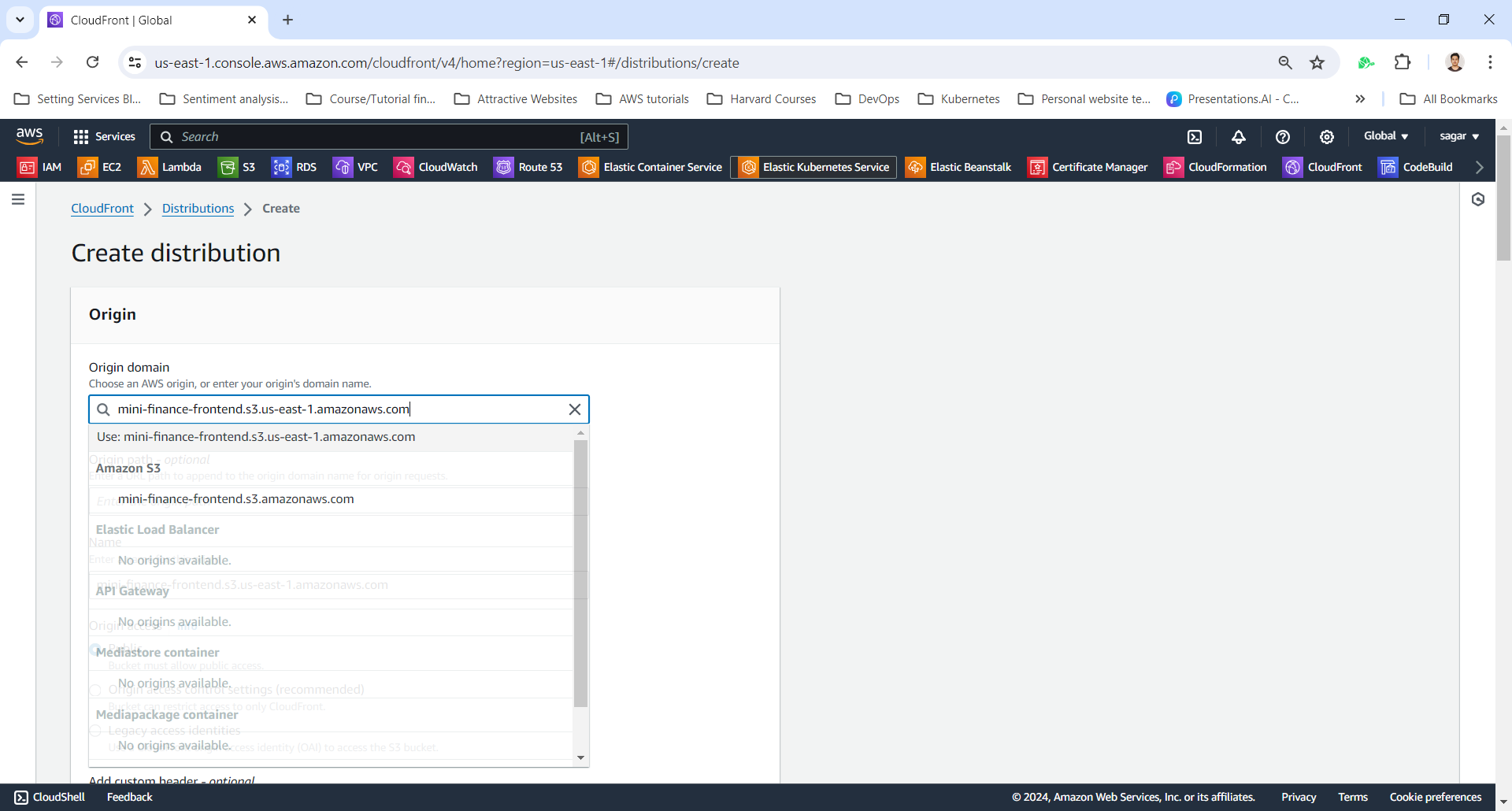
3. Create CloudFront Distribution
Select S3 bucket domain
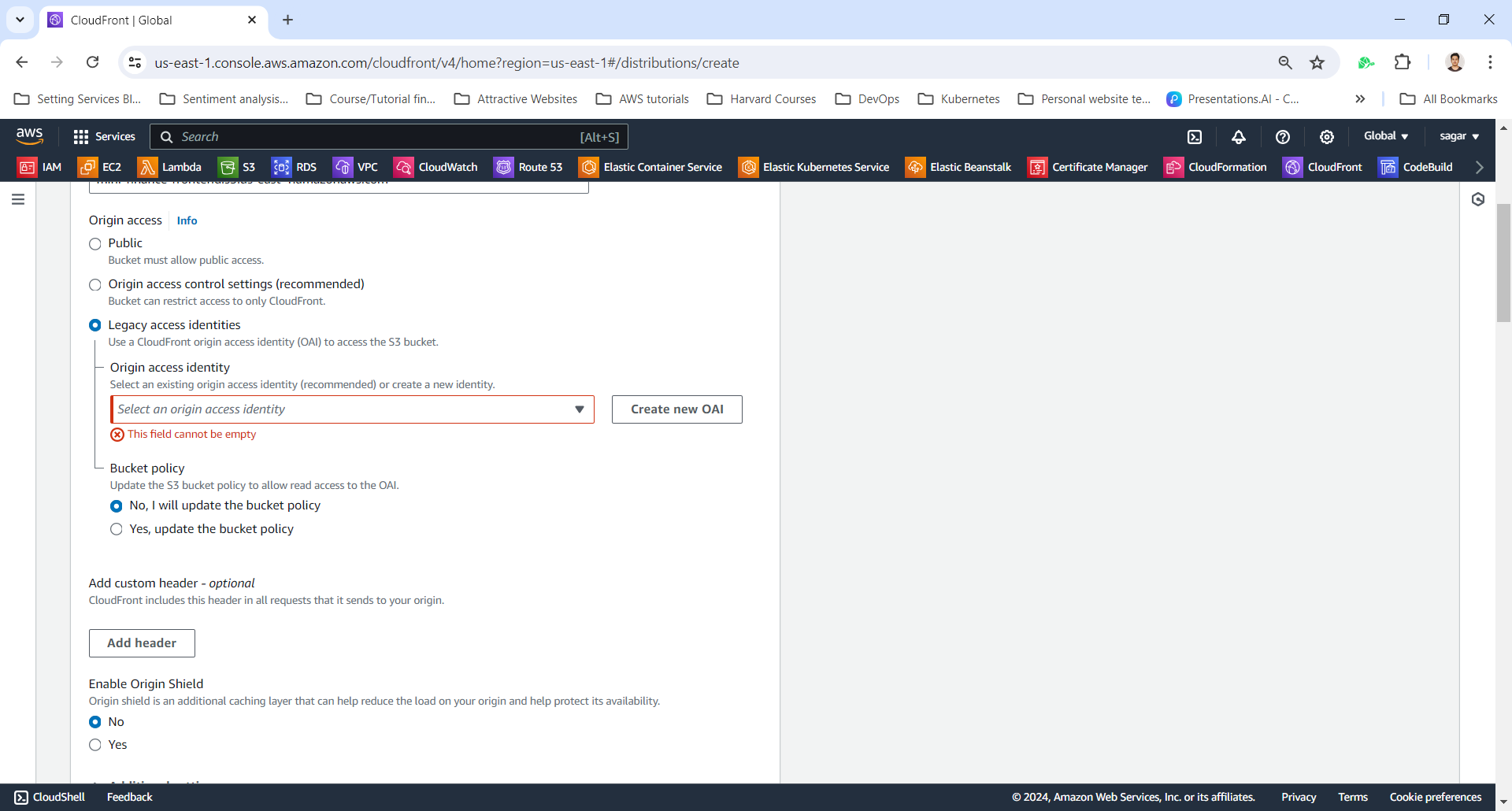
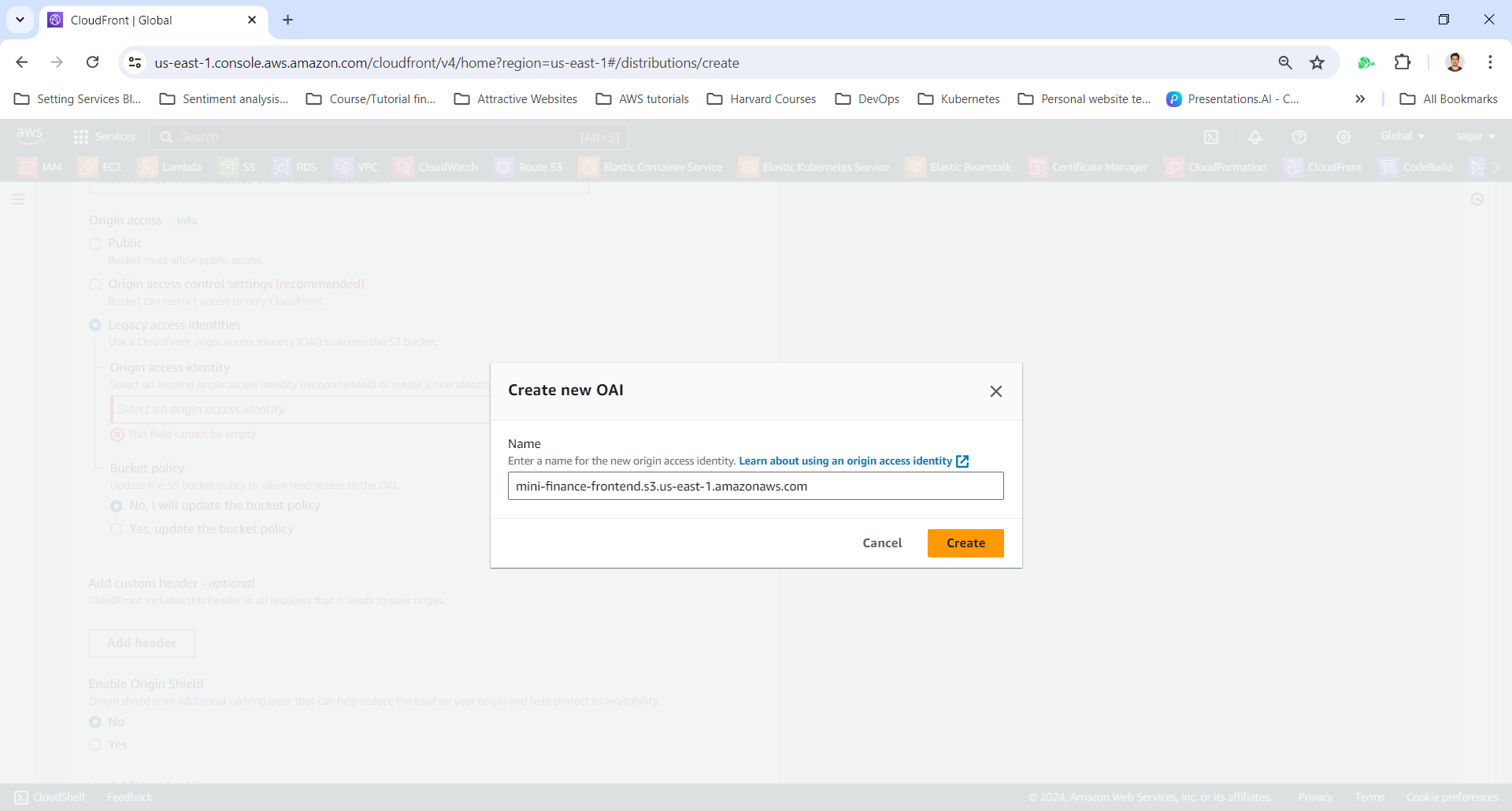
Create Origin Access Identity (OAI)
An Origin Access Identity (OAI) allows CloudFront to securely access your S3 bucket while keeping it private.
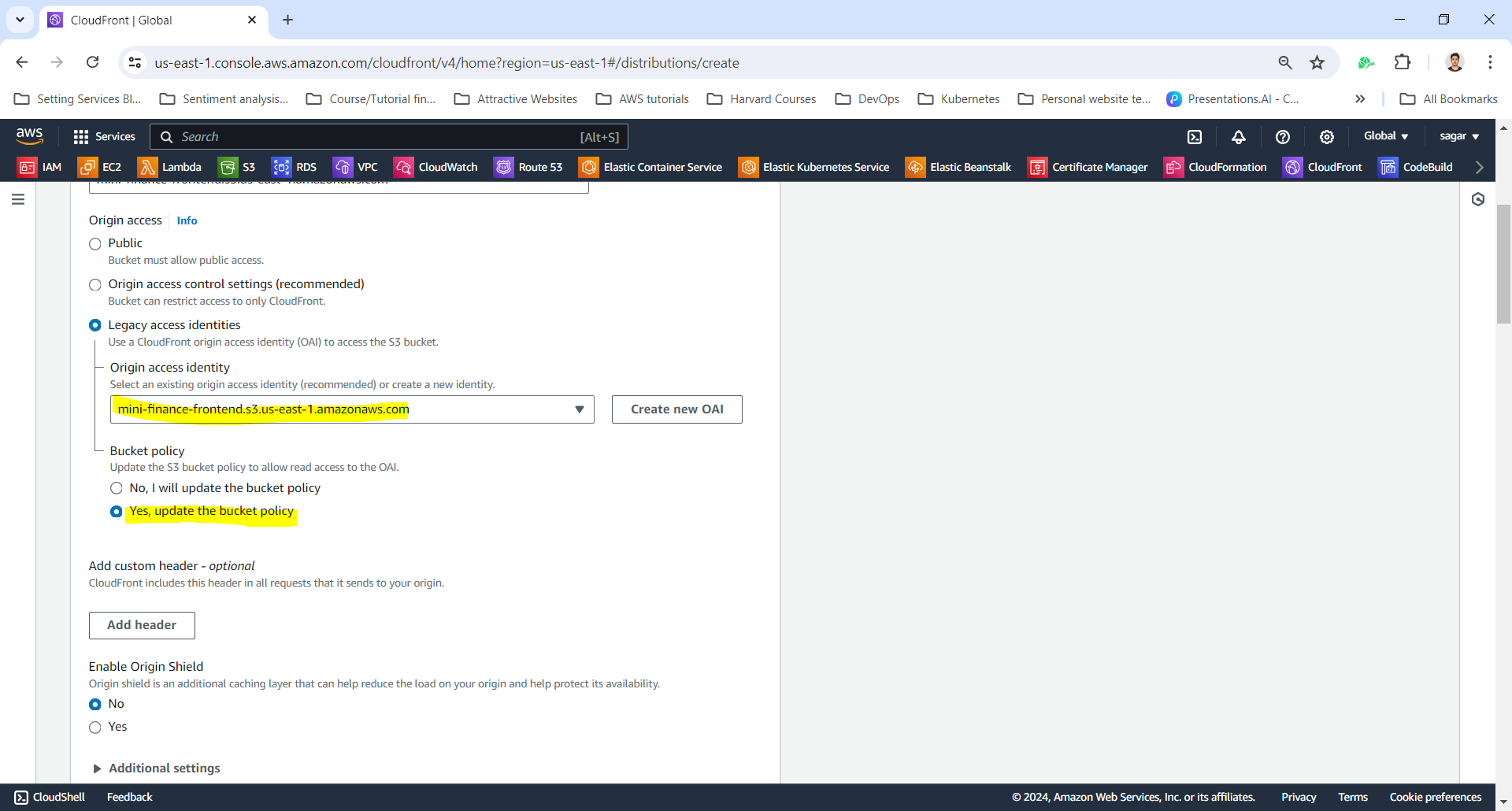
Check the Update the bucket Policy option to automatically add OAI policy to the S3Bucket and grant CloudFront Access.
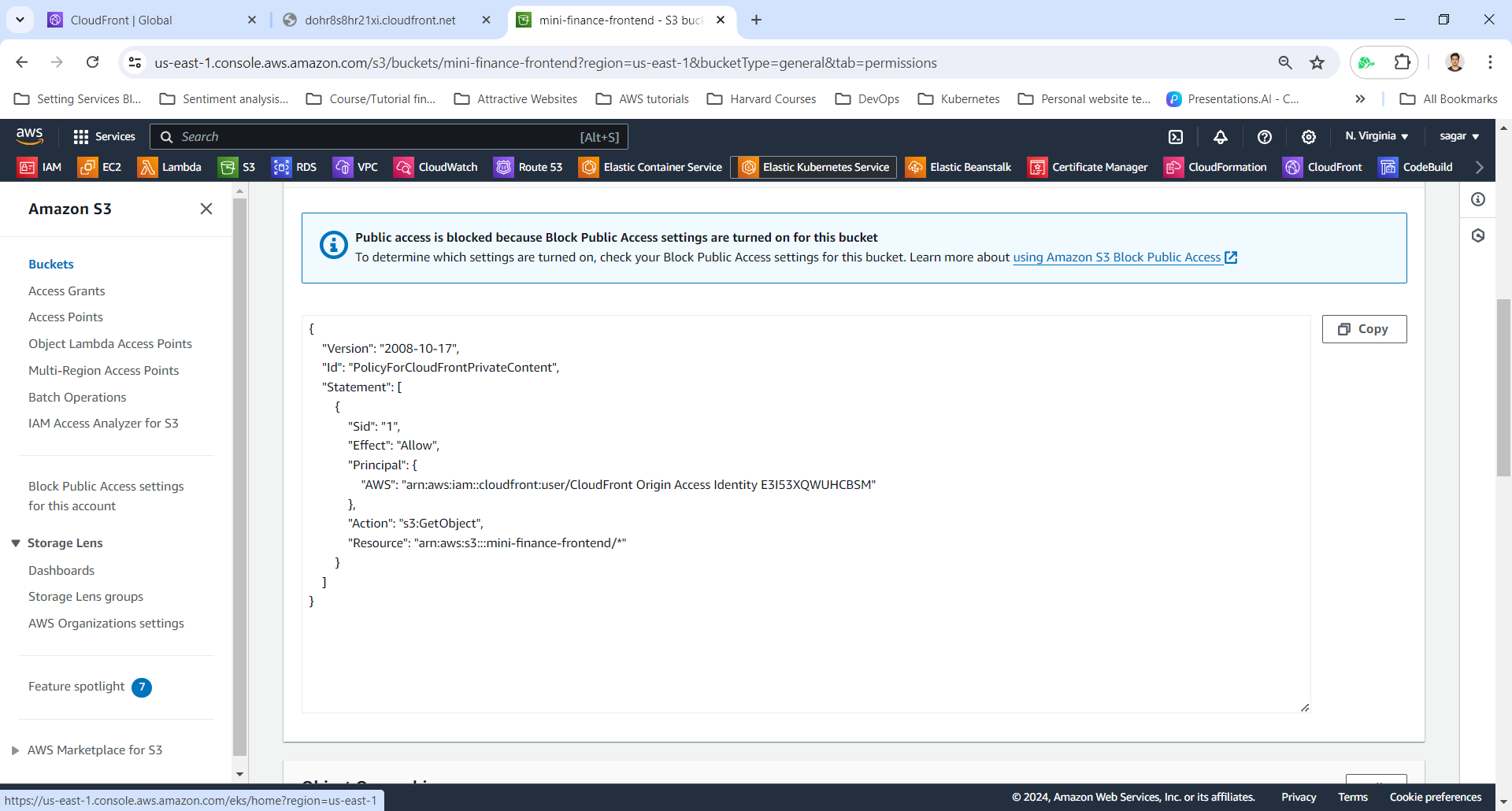
The generated S3bucket OAI policy looks like this:
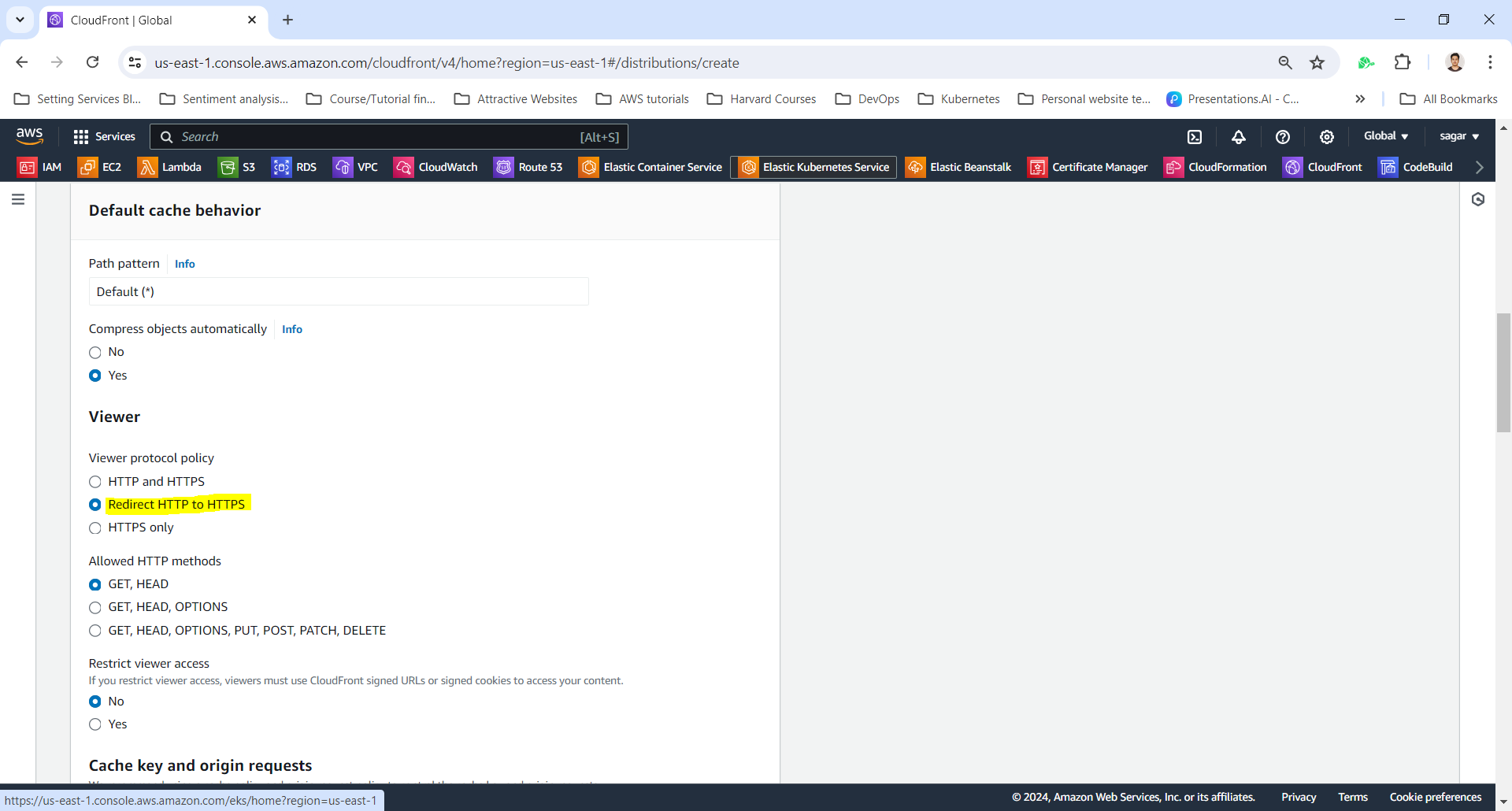
Select Viewer protocol policy to Redirect HTTP to HTTPS Or HTTPS only
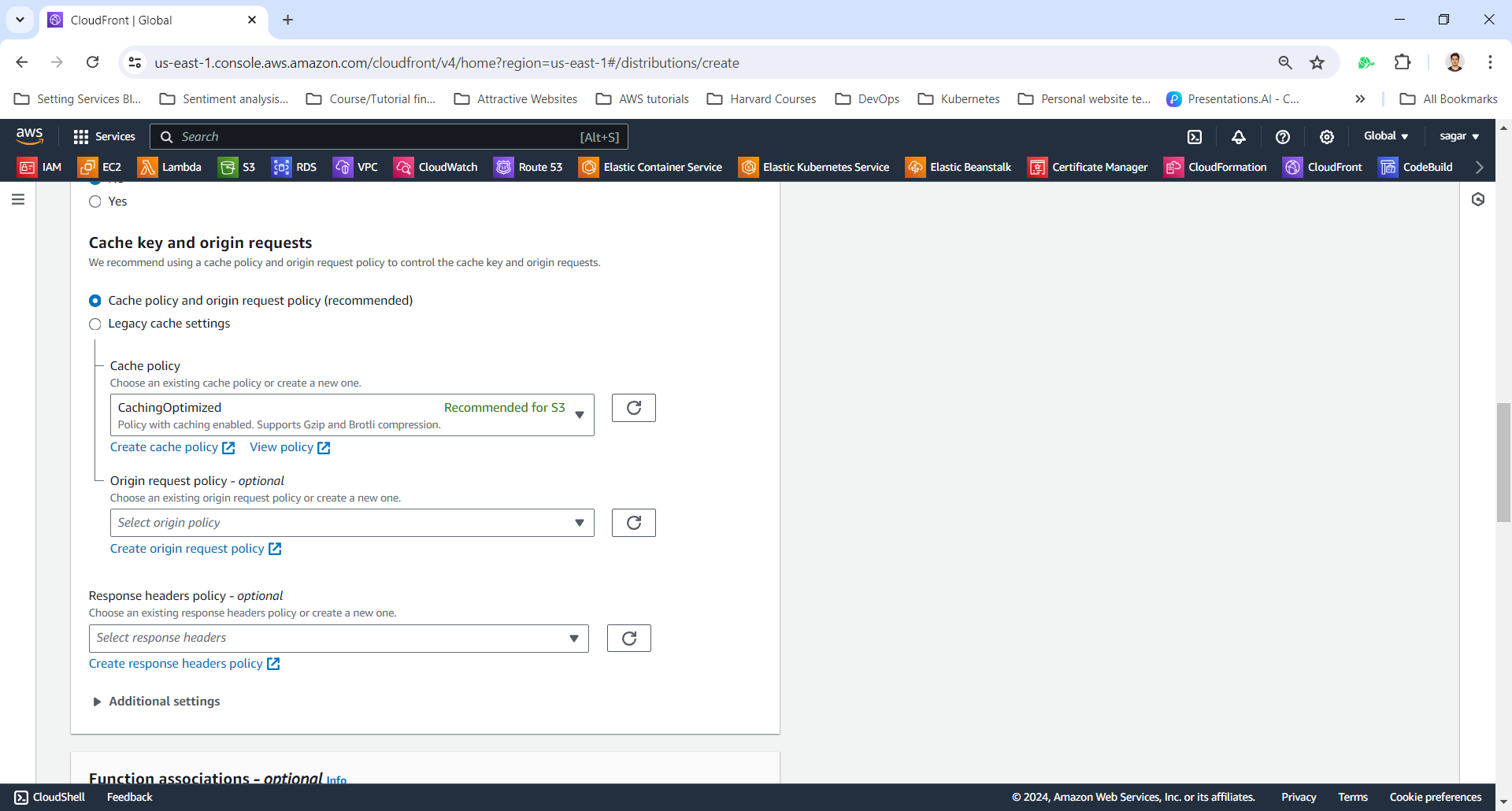
Set default Cache Key and Origin Requests settings
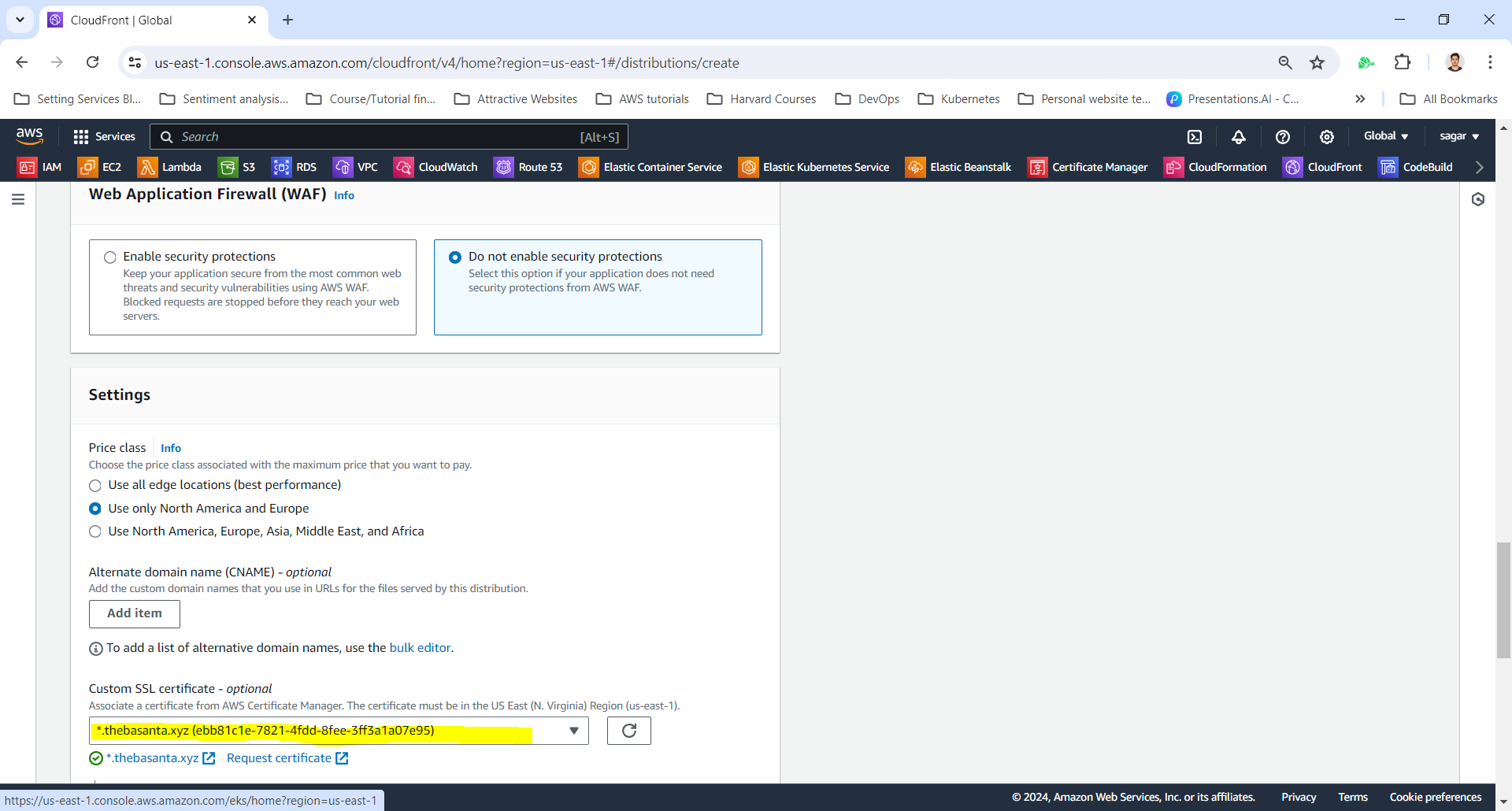
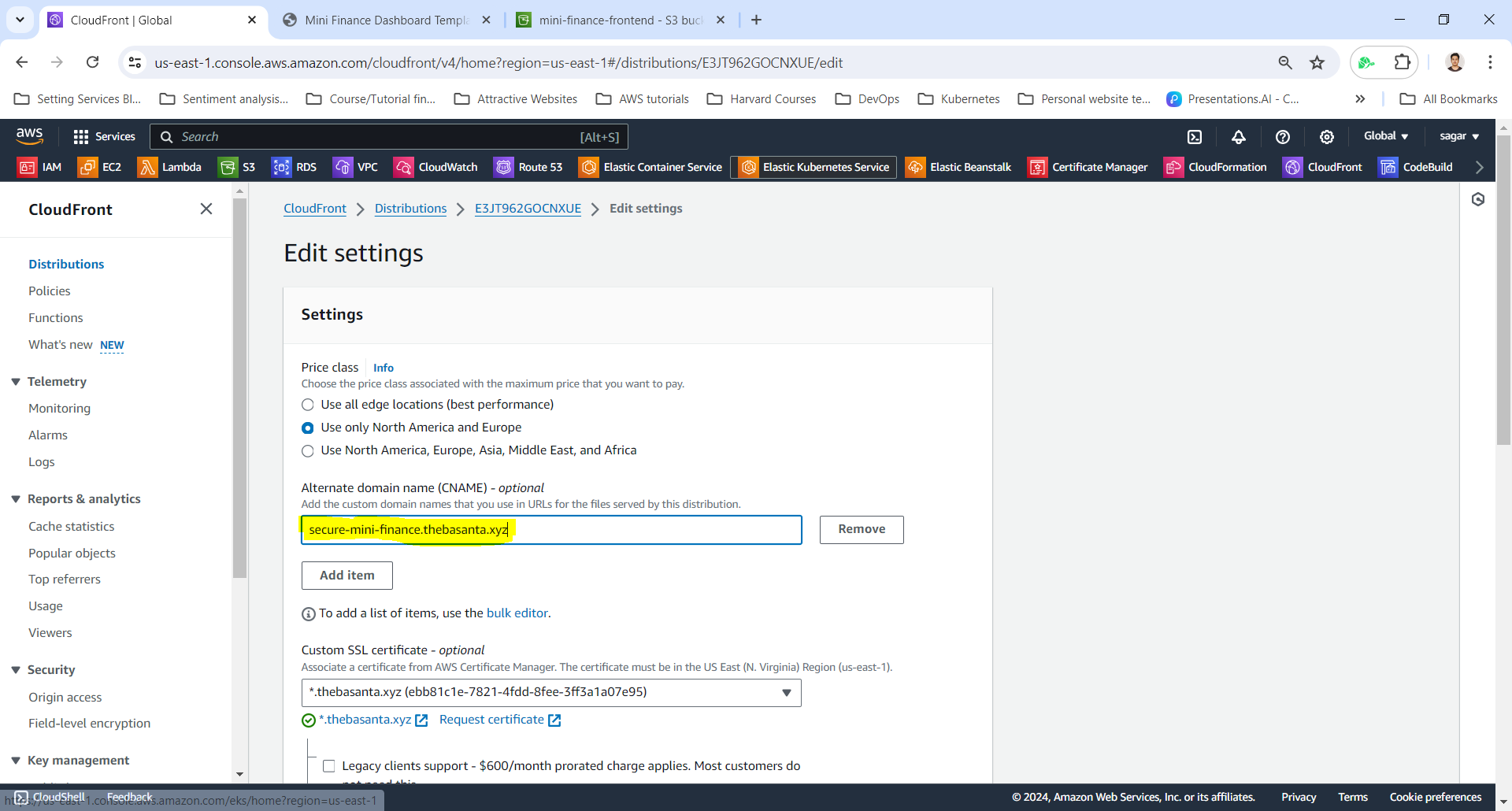
Select SSL Certificate and Add Alternate domain name (CNAME)
Important: Adding your custom domain to the CloudFront distribution is crucial for it to recognize requests for your domain.
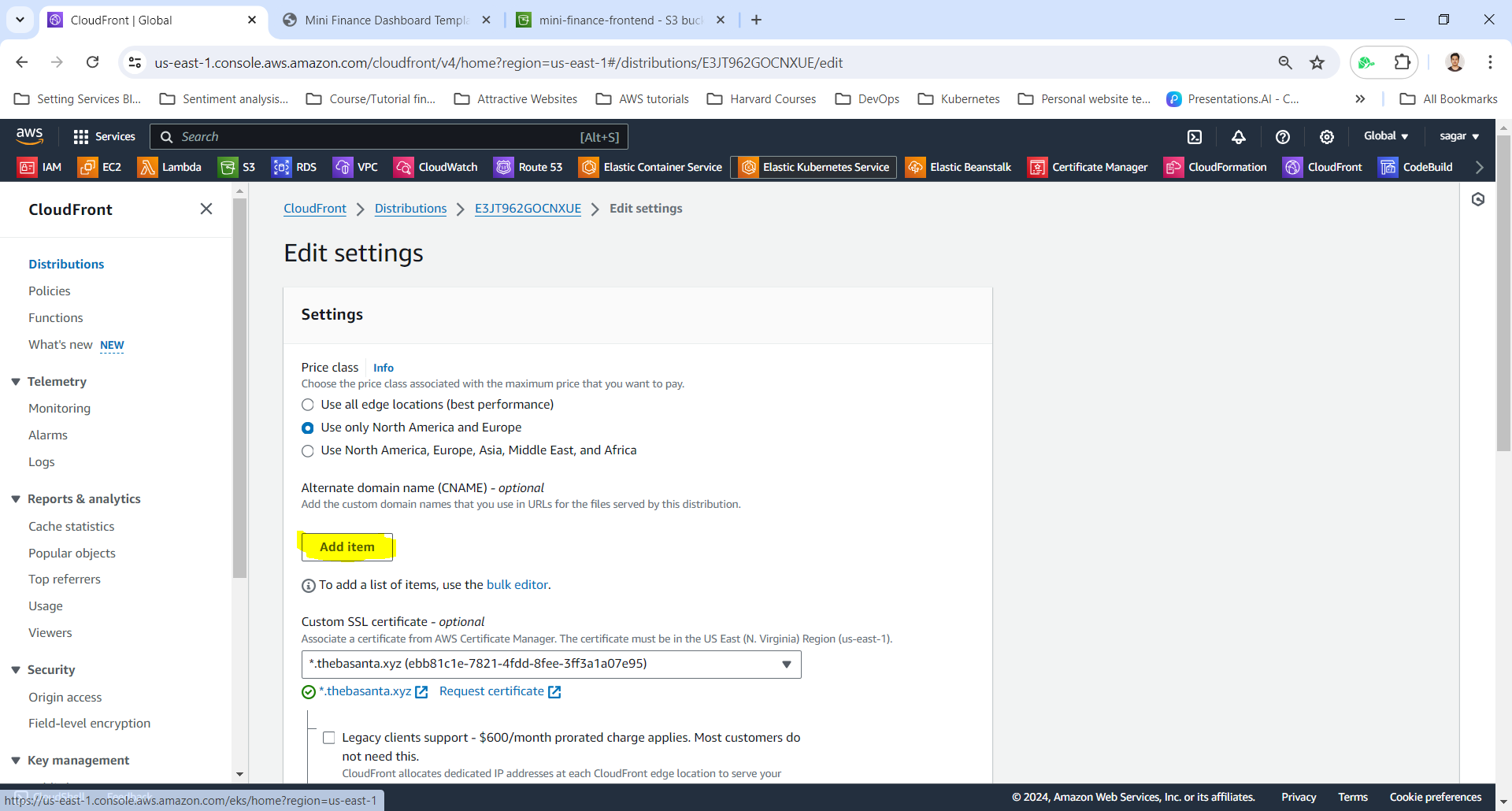
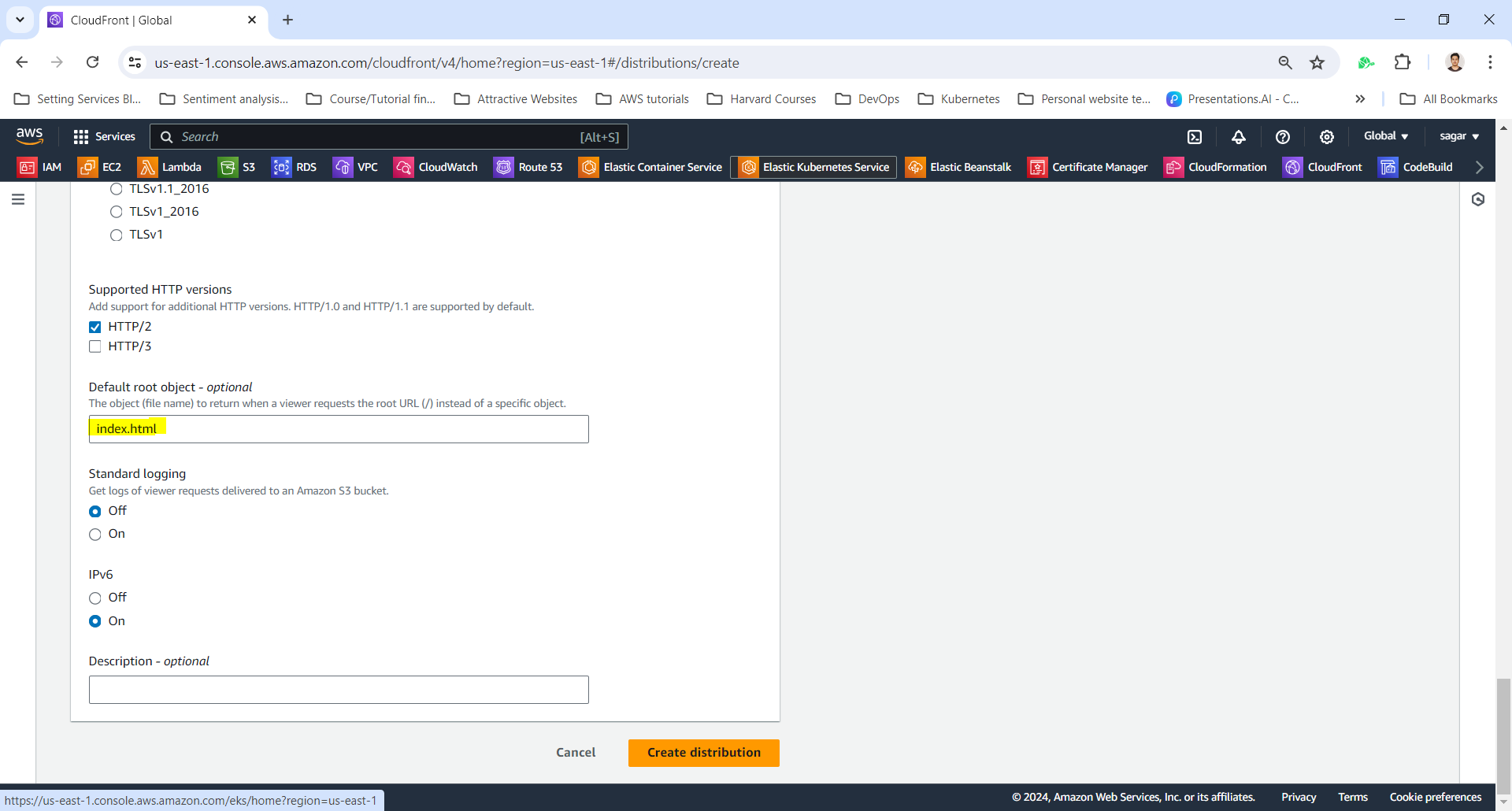
Set default root object to index.html
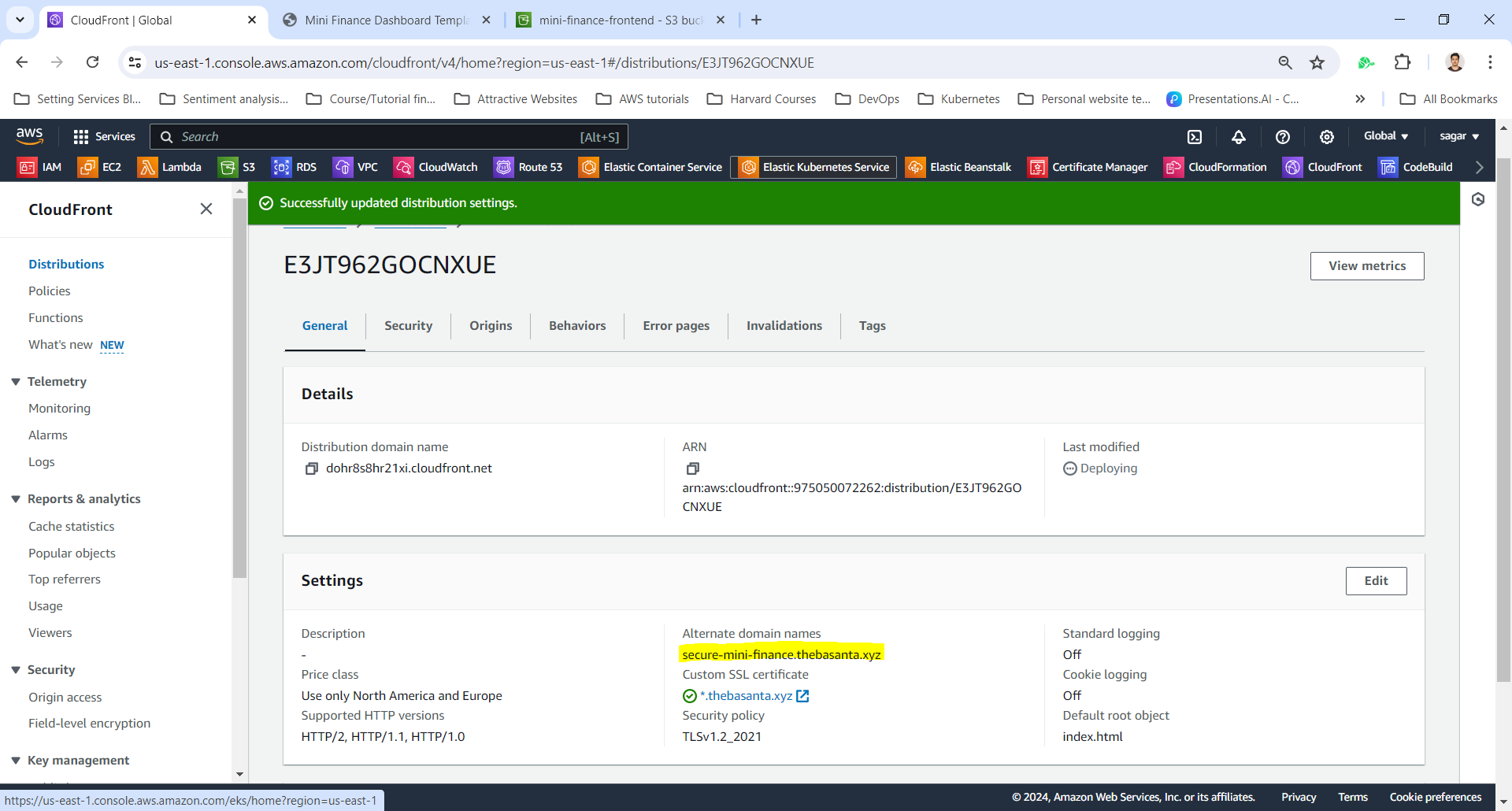
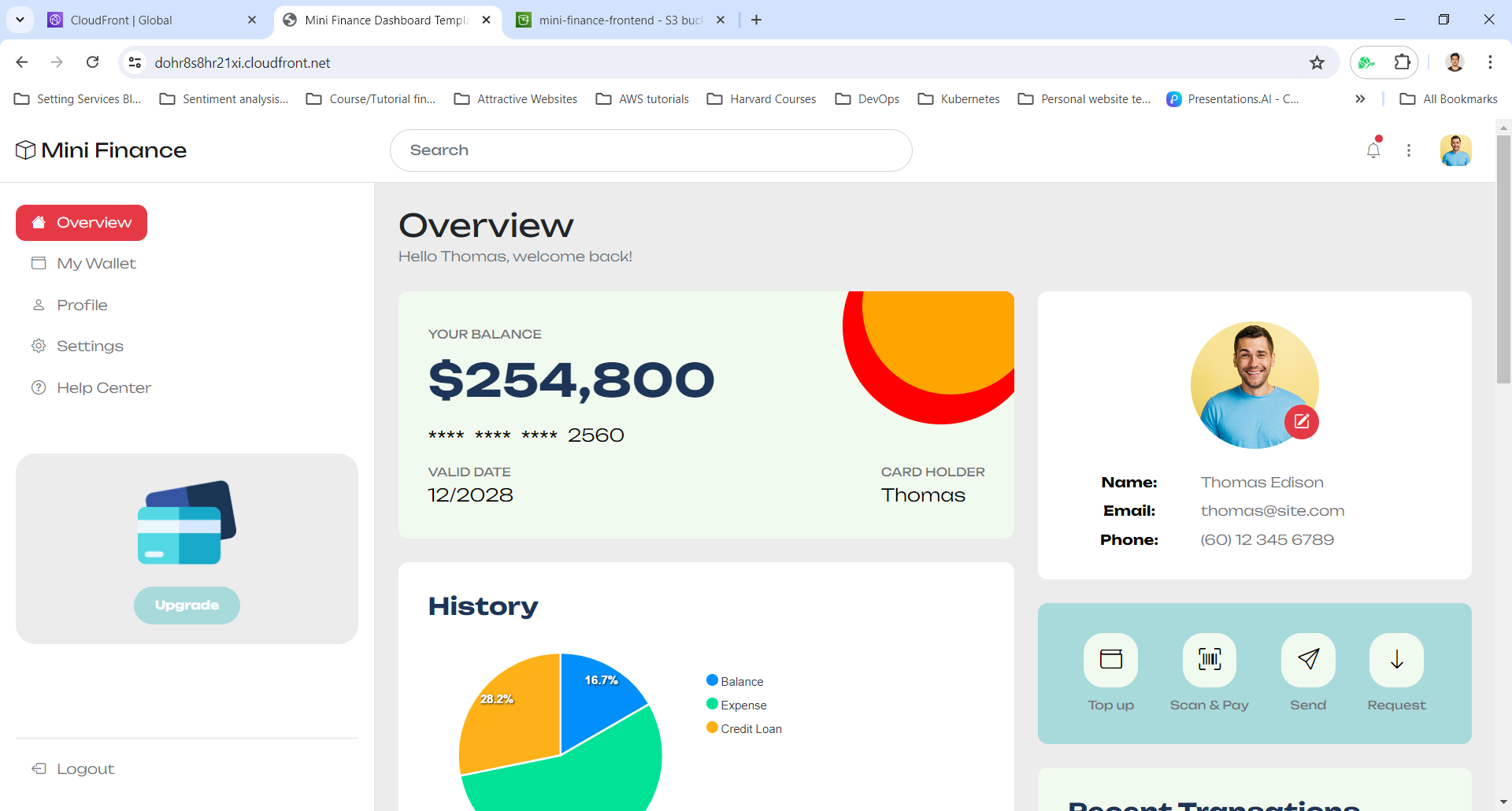
View Distribution and website with Distribution Domain Name
Add CNAME record to DNS Providers
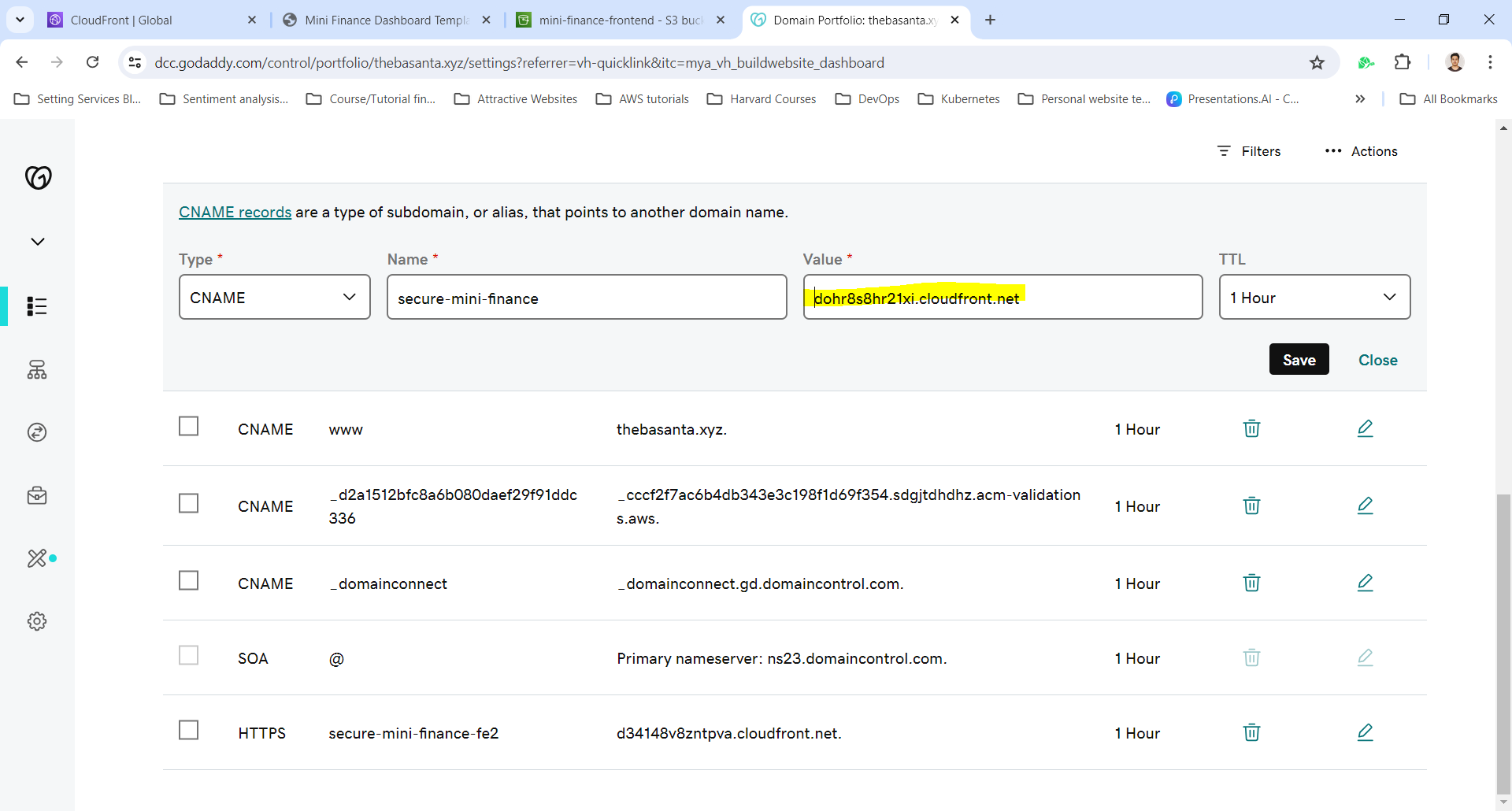
Note: DNS Propagation will take some time before the custom domain works fully.
Access website with new custom Domain Name
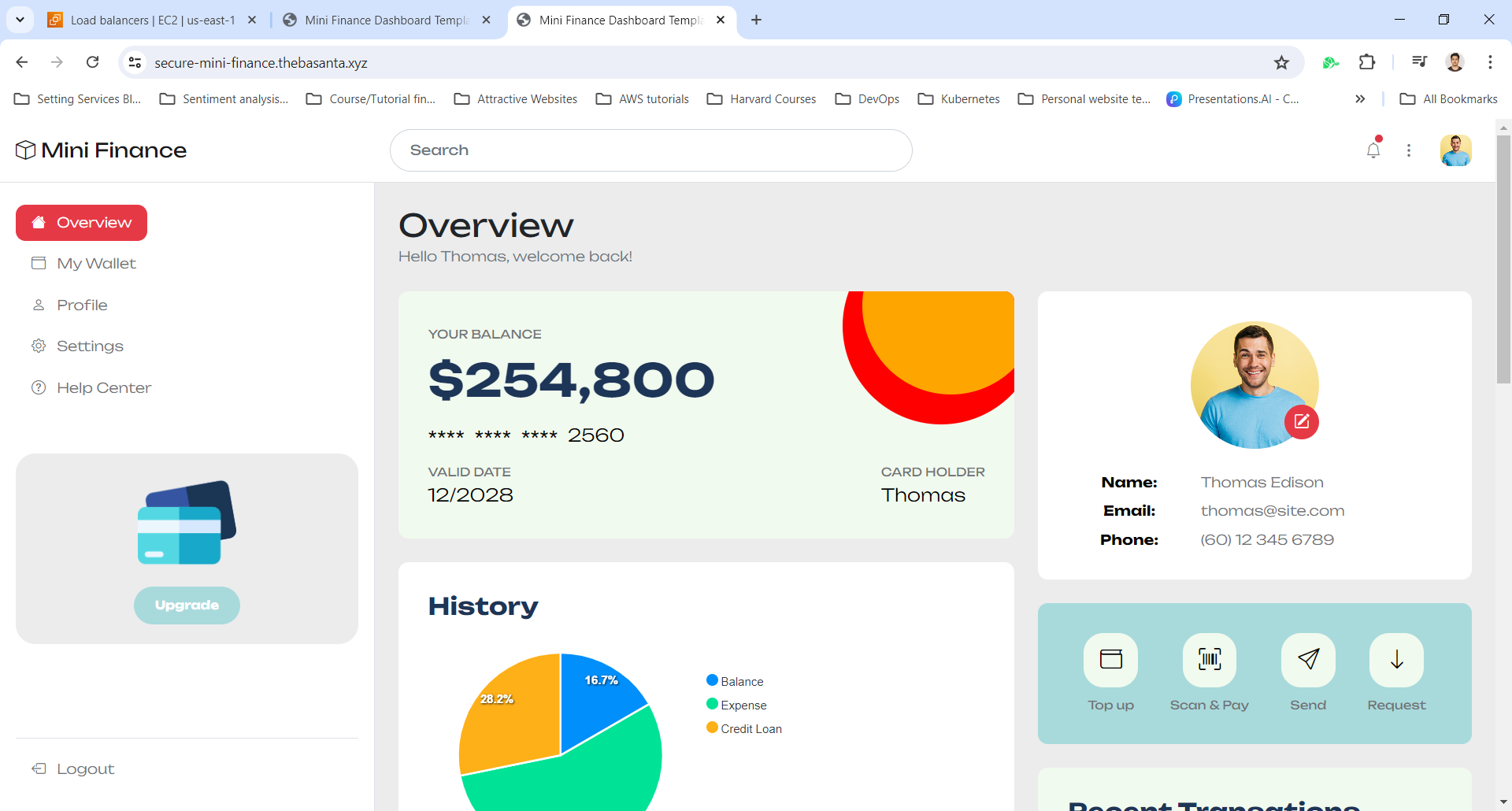
And that’s it! we’ve successfully secured our S3 bucket-hosted static website with an SSL certificate from AWS ACM. By leveraging Amazon CloudFront, our site now loads securely over HTTPS, ensuring both data encryption and improved trust from visitors.
Not only does this setup enhance security, but it also helps with SEO rankings and overall website performance. With CloudFront caching, our site will load faster for users worldwide.
If we run into any issues or have questions, feel free to drop a comment below—I’d be happy to help! Happy hosting! 🚀