No More Secrets! Configure OIDC for Secure GitHub Actions to AWS Access
DevOps Pipeline Github Actions OpenID Connect Cloudformation IAM Roles
Imagine if someone could forge your signature and use it to access your most sensitive information. In the realm of cloud computing, AWS credentials play a similar role—if they fall into the wrong hands, attackers can exploit them to access, modify, or even take over your AWS environment.
Traditionally, AWS access keys and secret keys were employed to authenticate CI/CD workflows like GitHub Actions to AWS. However, storing and managing these credentials securely poses a significant challenge. Thankfully, OpenID Connect (OIDC) offers a superior method for authenticating GitHub Actions to AWS without the need to store long-term secrets.
This guide will walk you through the step by step process of setting up OIDC-based authentication for GitHub Actions, eliminating the need to store AWS credentials.
Topics for a comprehensive understanding
- Why AWS credentials pose a security risk 🔓
- How OIDC enables authentication without storing secrets 🔐
- Step-by-step guide to setting up OIDC for GitHub Actions 🛠️
- Best practices for securing your AWS environment
Let the fun begin!
🔓 Why AWS Credentials Are a Security Risk
AWS credentials, such as IAM access keys, allow applications to interact with AWS resources. However, when not managed securely, they introduce significant risks such as:
1️. Exposure in Public Repositories
Hardcoding AWS credentials in GitHub repositories is a common mistake. If exposed, attackers can use them to access AWS resources.
2️. Difficult Key Rotation and Management
Long-term credentials must be rotated frequently and stored securely. Manual rotation can lead to mismanagement and security lapses.
3️. Privilege Escalation Attacks
If an attacker gains access to AWS credentials, they can escalate privileges, access sensitive data, or even take full control of an AWS account.
🔐 How OIDC Eliminates the Need for AWS Credentials
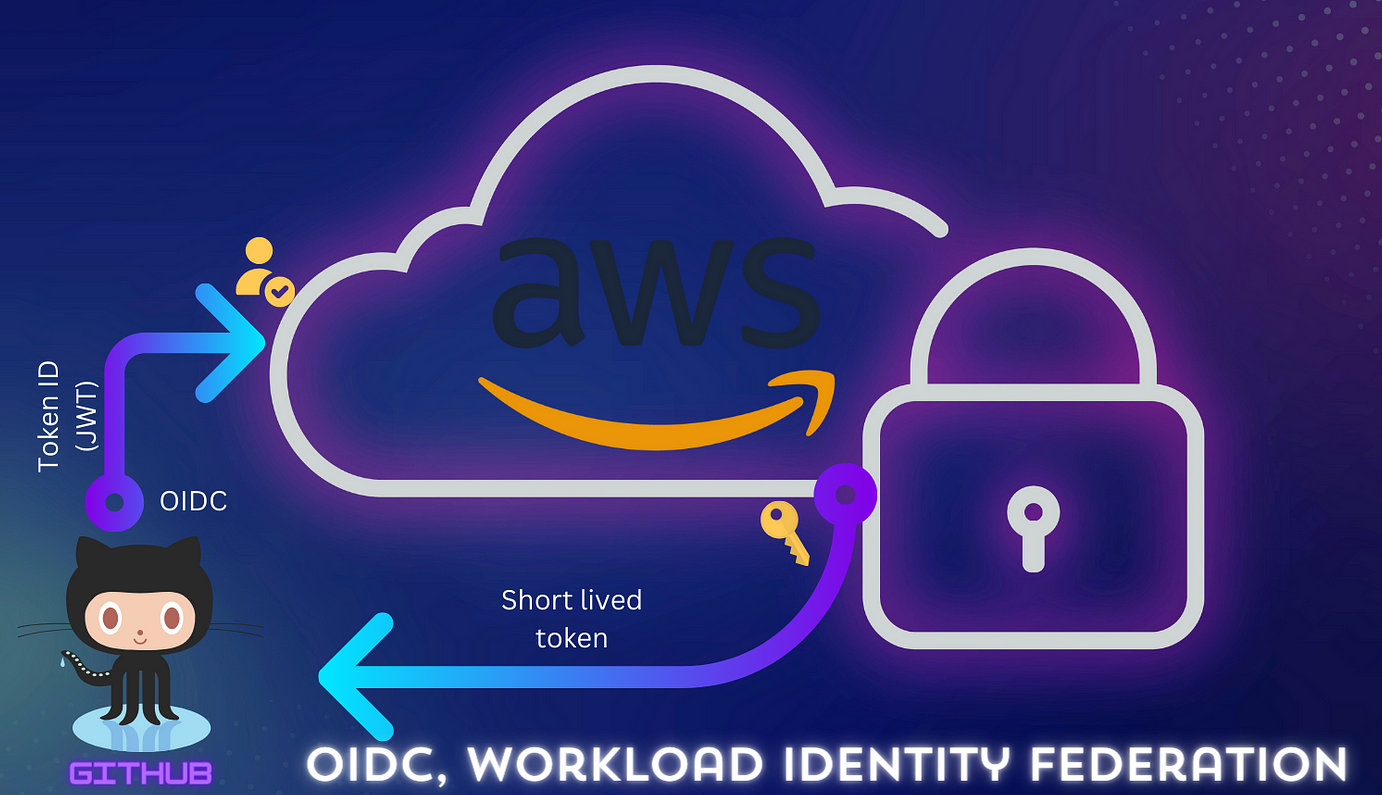
AWS supports OpenID Connect (OIDC), allowing GitHub Actions to authenticate dynamically without storing credentials. Here’s how it works:
1. GitHub as an OIDC Provider
GitHub Actions requests a temporary OIDC token when executing workflows. This token is signed and verified automatically.
2. IAM Roles for OIDC Authentication
AWS IAM is configured to trust GitHub’s OIDC provider, allowing GitHub Actions to assume an IAM role dynamically, without requiring AWS access keys.
3. Temporary Credentials Instead of Static Keys
OIDC tokens generate short-lived AWS credentials only when needed, eliminating the risks of long-term credentials.
Step-by-step guide to setting up OIDC for GitHub Actions 🛠️
Let us walk through the step by step process of authenticating GitHub Actions with AWS using OpenID Connect (OIDC).
Start by creating an IAM Role for Github Actions
-
Navigate to the Amazon IAM (Identity and Access Management) service.
-
Under Roles, go to Create role. Choose
Web identityas the trusted entity type.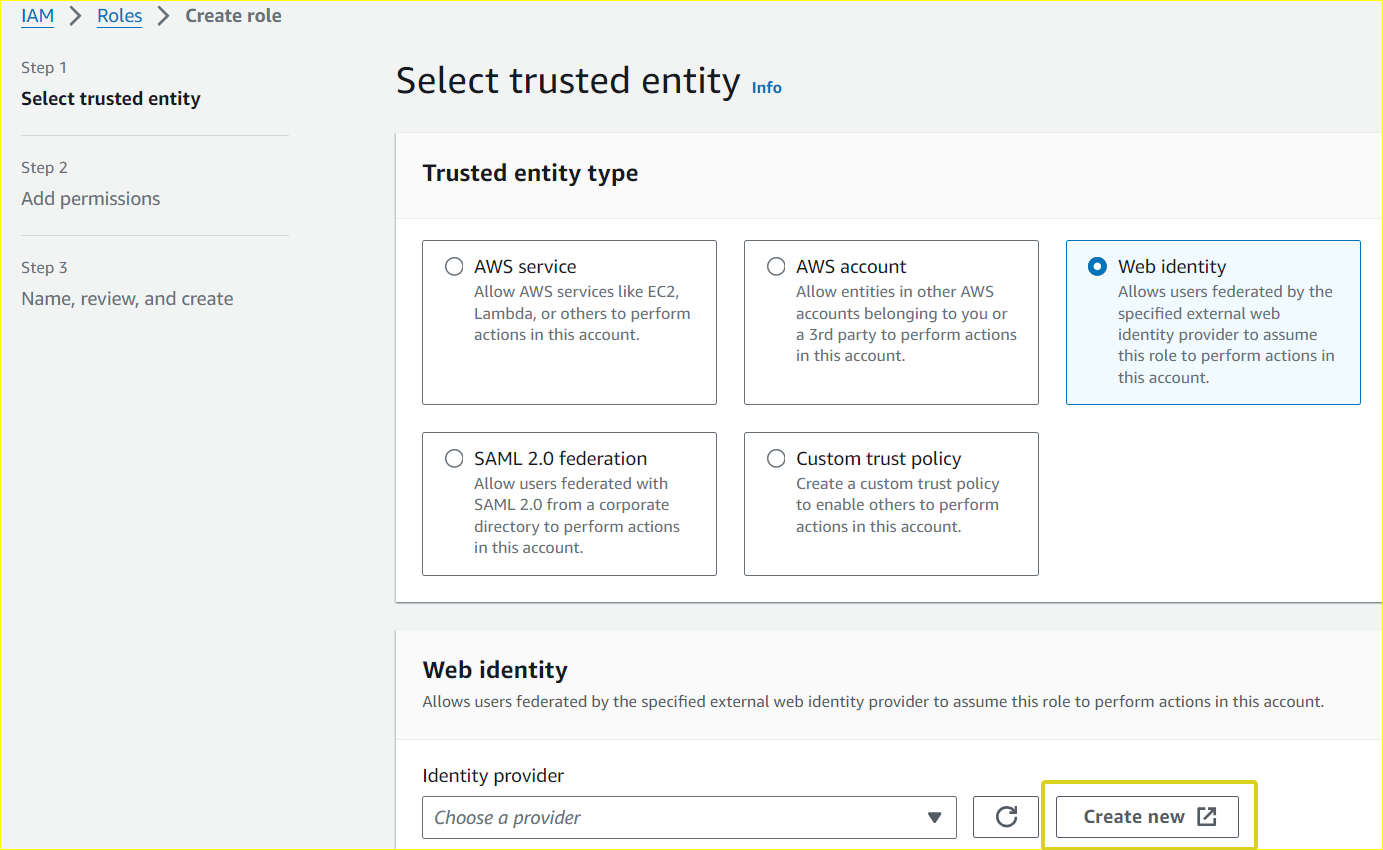
-
Choose OpenID Connect (OIDC) as the provider.
Enter Provider URL:https://token.actions.githubusercontent.com. -
Set Audience to
sts.amazonaws.comand click the Add Provider button.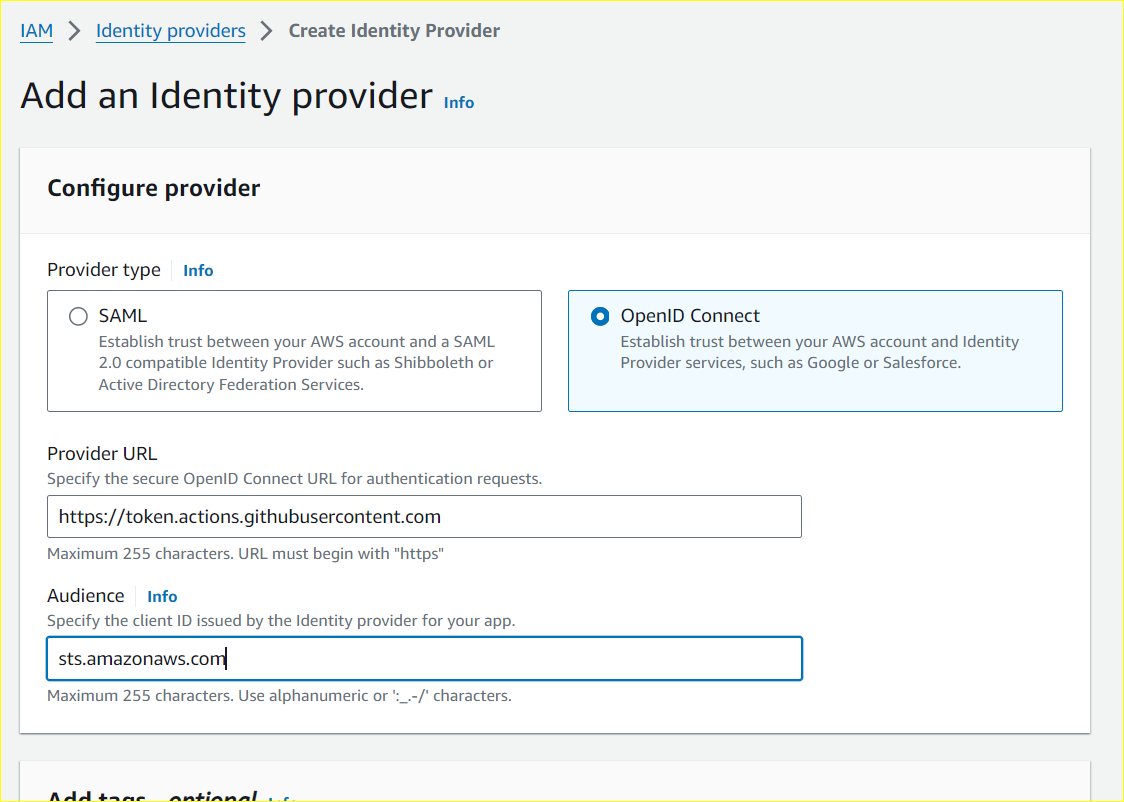
Assign a role to the Provider
-
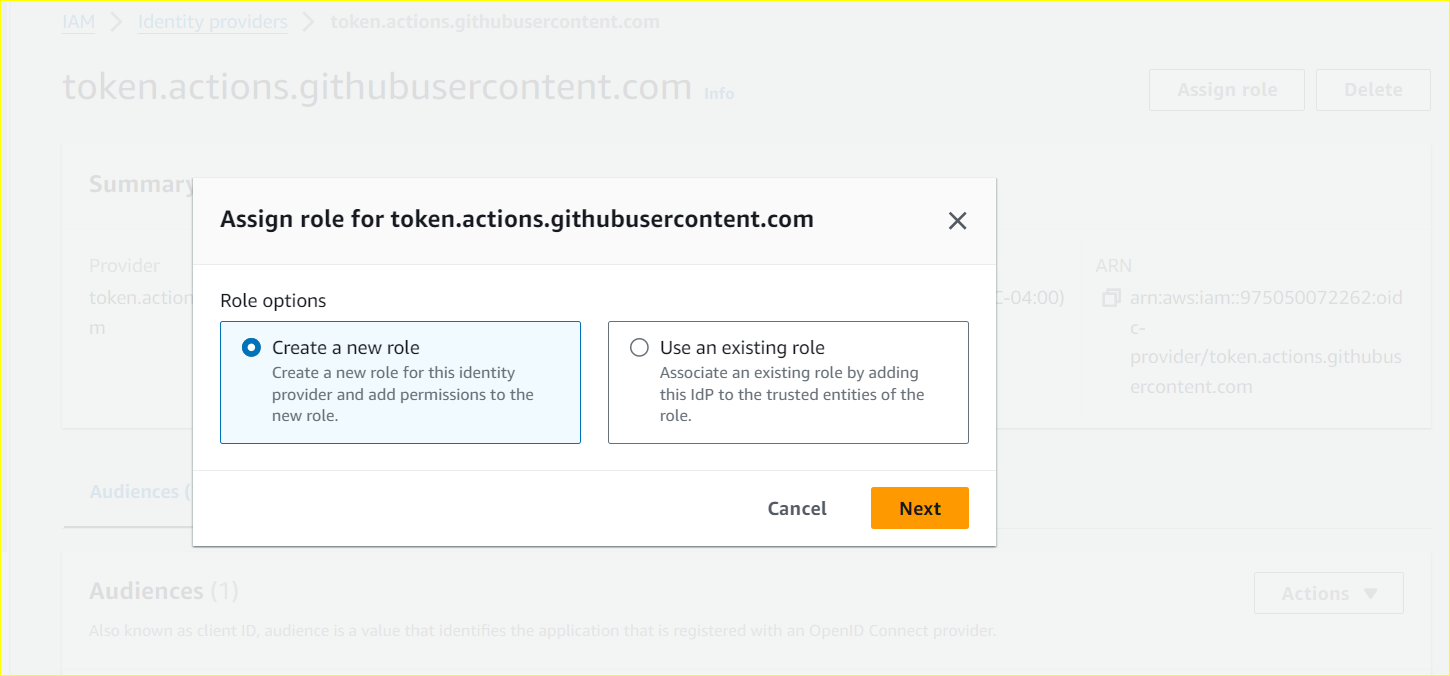
Go to the provider and click Assign role and select Create a new role.
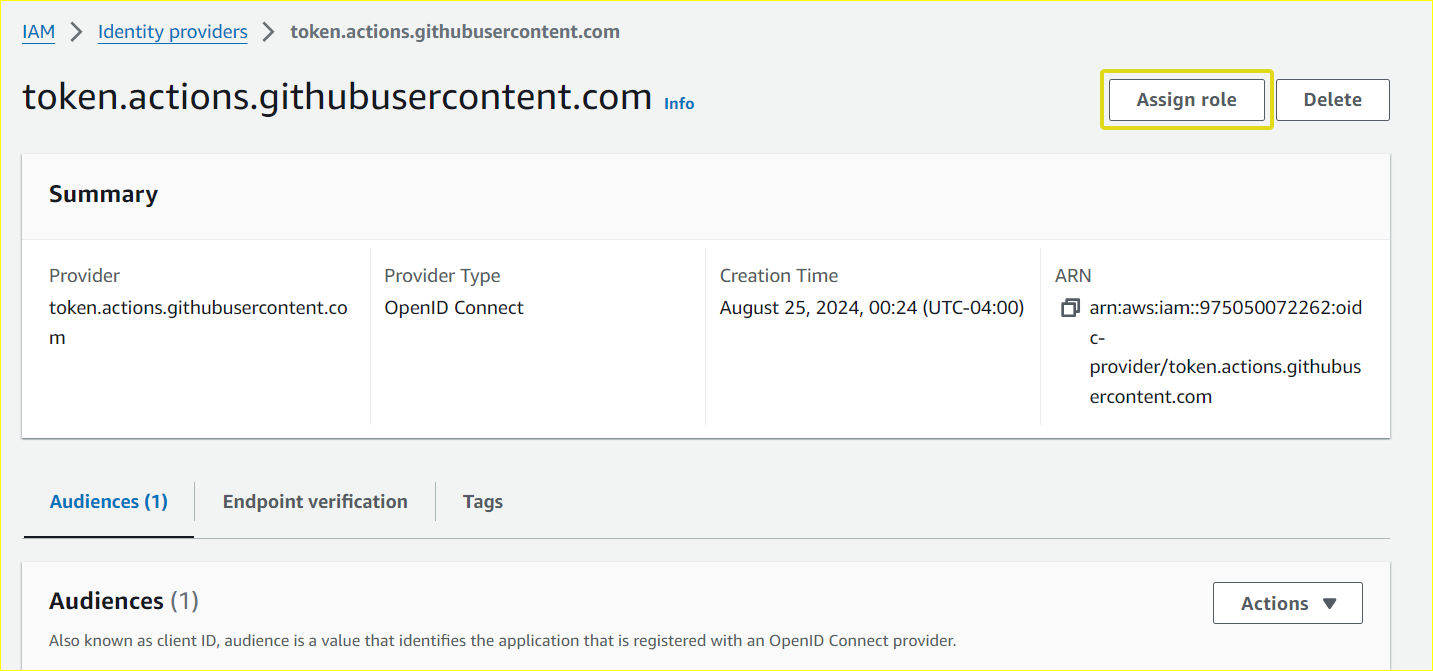
-
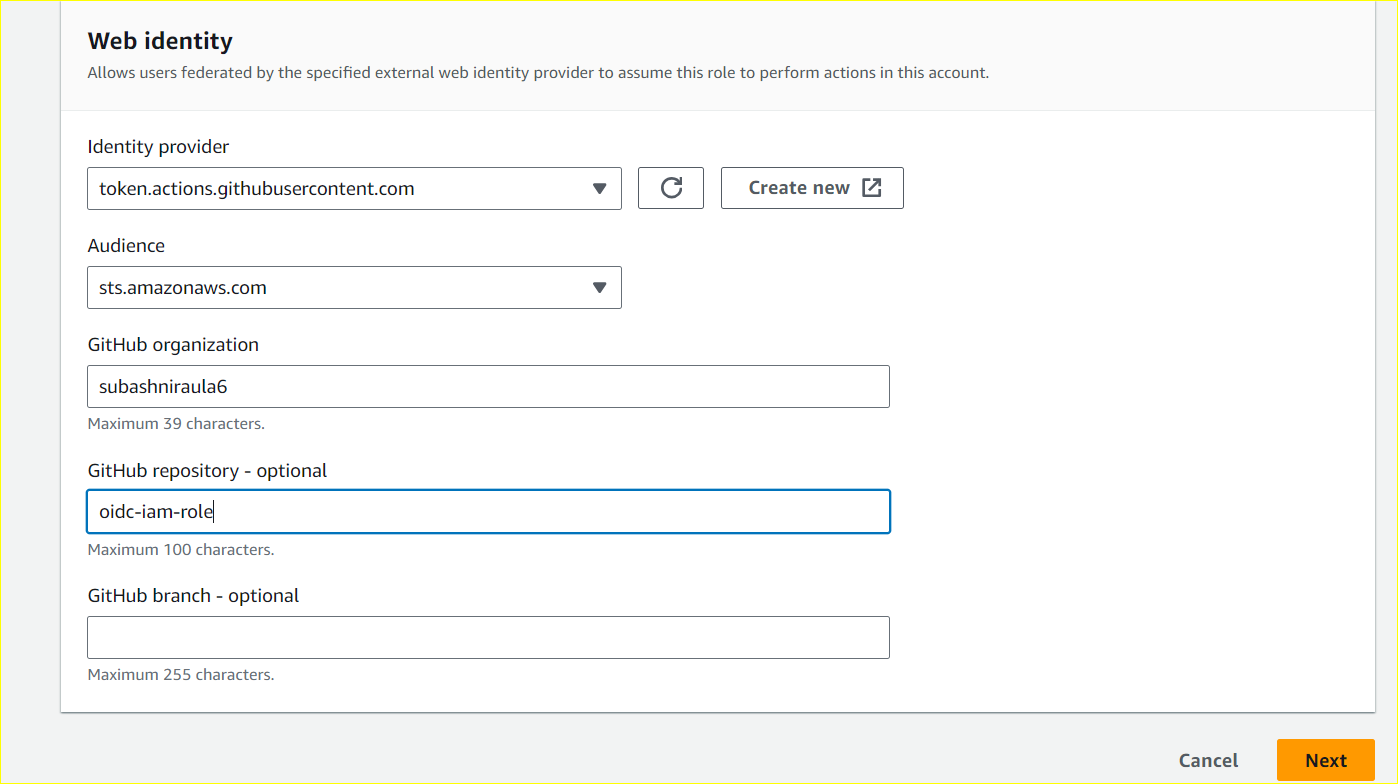
Choose the Audience:
sts.amazonaws.comand enter GitHub Organization. Although field Github Repository is optional, it is best practice to allow access to specific repositories to prevent unauthorized use of other unnecessary repositories within organizations.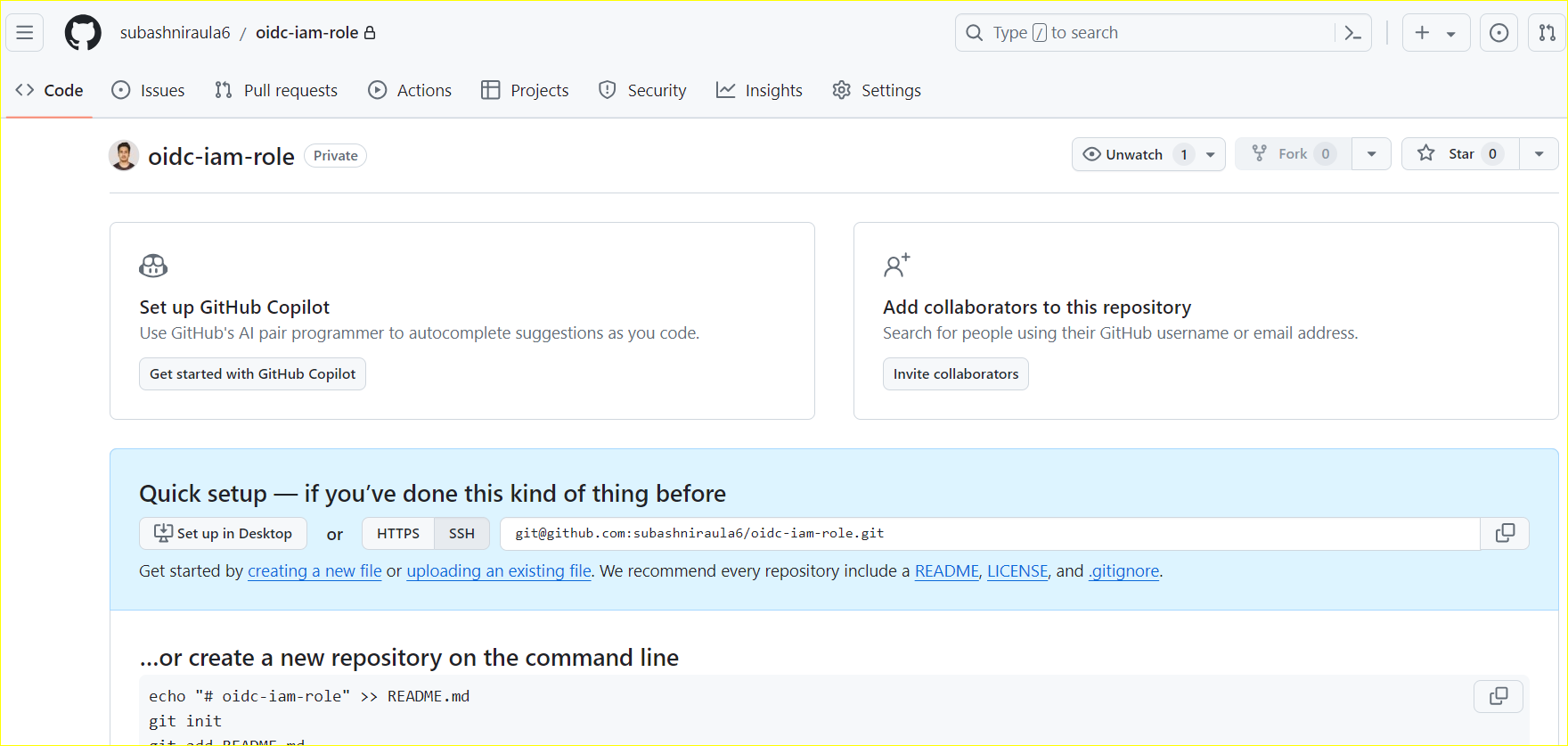
-
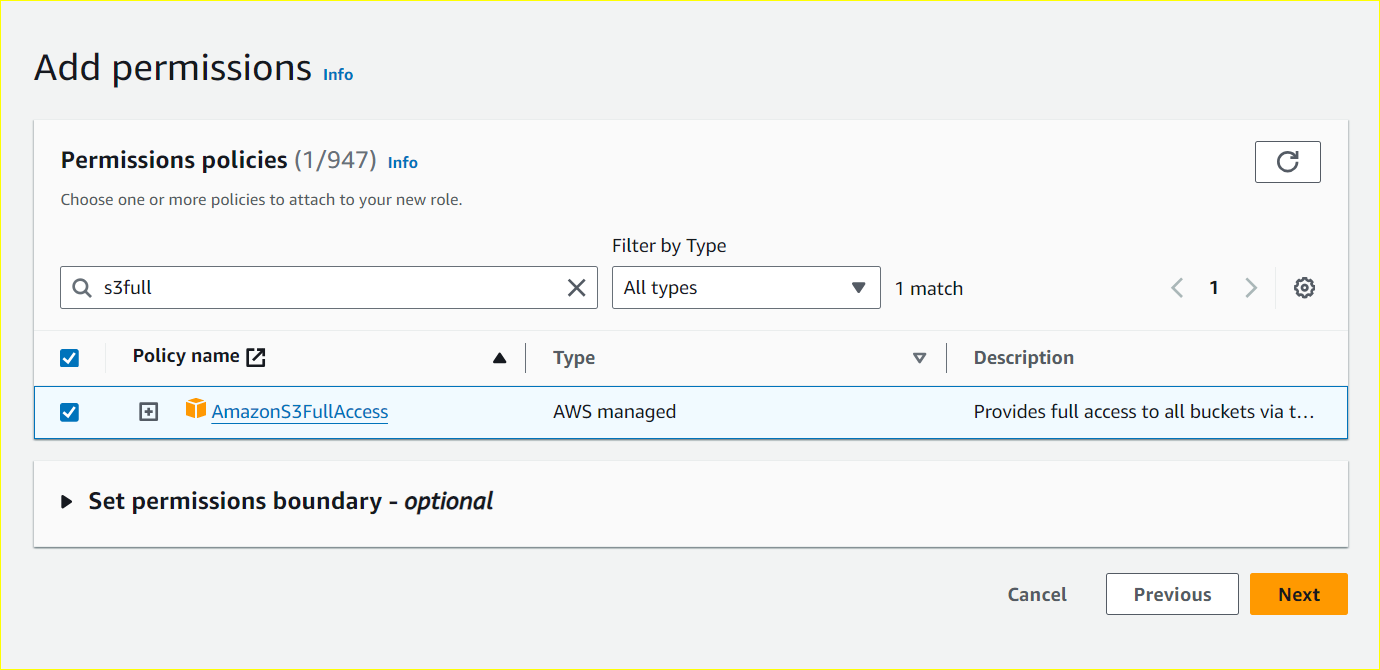
Add the S3BucketFullAccess Policy.
Define a Trust Policy
The Trust policy JSON should look something like this:
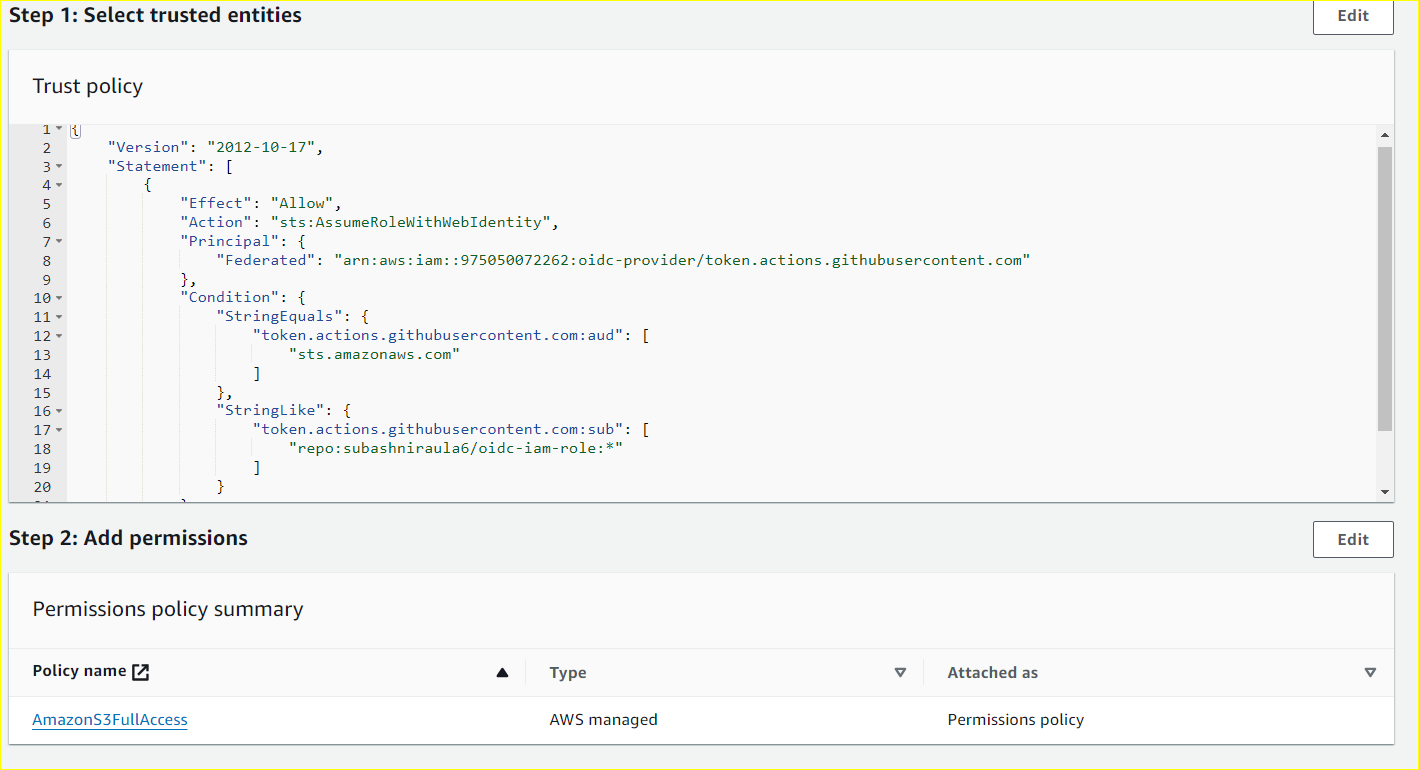
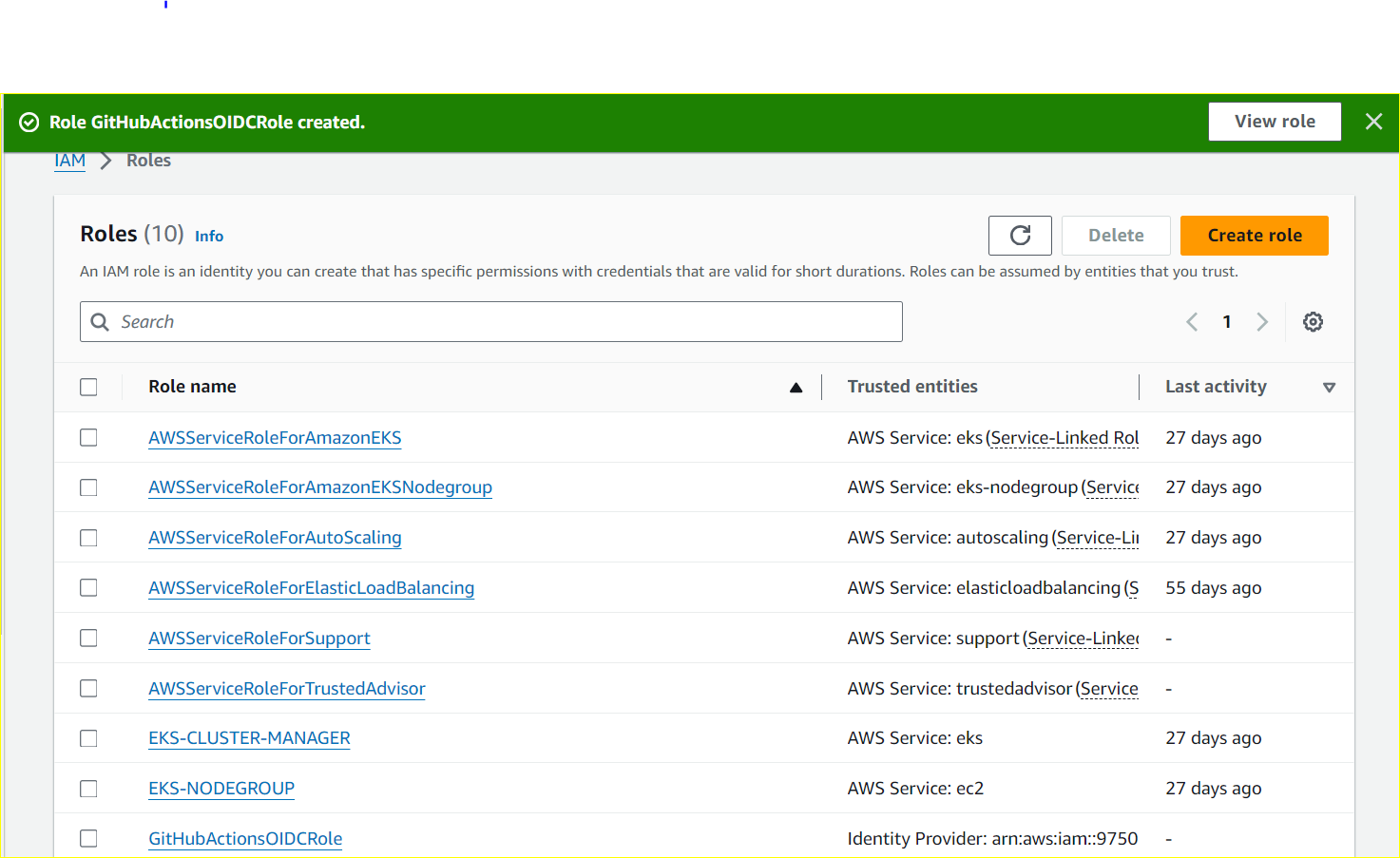
Alternatively, for those who prefer automation, CloudFormation can streamline the creation of the IAM Identity Provider and role assignment. Simply provide the necessary parameters in the CloudFormation template.
Parameters:
  GitHubOrgUser:
    Description: Name of GitHub organization/user (case sensitive)
    Type: String
  RepositoryName:
    Description: Name of GitHub repository (case sensitive)
    Type: String
  OIDCAudience:
    Description: Audience supplied to configure-aws-credentials.
    Default: "sts.amazonaws.com"
    Type: String

Resources:
  GitHubOIDCProvider:
    Type: "AWS::IAM::OIDCProvider"
    Properties:
      Url: "https://token.actions.githubusercontent.com"
      ClientIdList:
        - "sts.amazonaws.com"

  OIDCRole:
    Type: "AWS::IAM::Role"
    Properties:
      RoleName: "GitHubActionsOIDCRole"
      AssumeRolePolicyDocument:
        Statement:
          - Effect: "Allow"
            Principal:
              Federated:
                - !Ref GitHubOIDCProvider
            Action:
              - "sts:AssumeRoleWithWebIdentity"
            Condition:
              StringEquals:
                "token.actions.githubusercontent.com:aud": !Ref OIDCAudience
              StringLike:
                "token.actions.githubusercontent.com:sub": !Sub repo:${GitHubOrgUser}/${RepositoryName}:*
      Policies:
        - PolicyName: "S3FullAccessPolicy"
          PolicyDocument:
            Statement:
              - Effect: "Allow"
                Action:
                  - "s3:*"
                Resource:
                  - "*"
Outputs:
  Role:
    Value: !GetAtt OIDCRole.Arn
Setting Up GitHub Actions to authenticate AWS
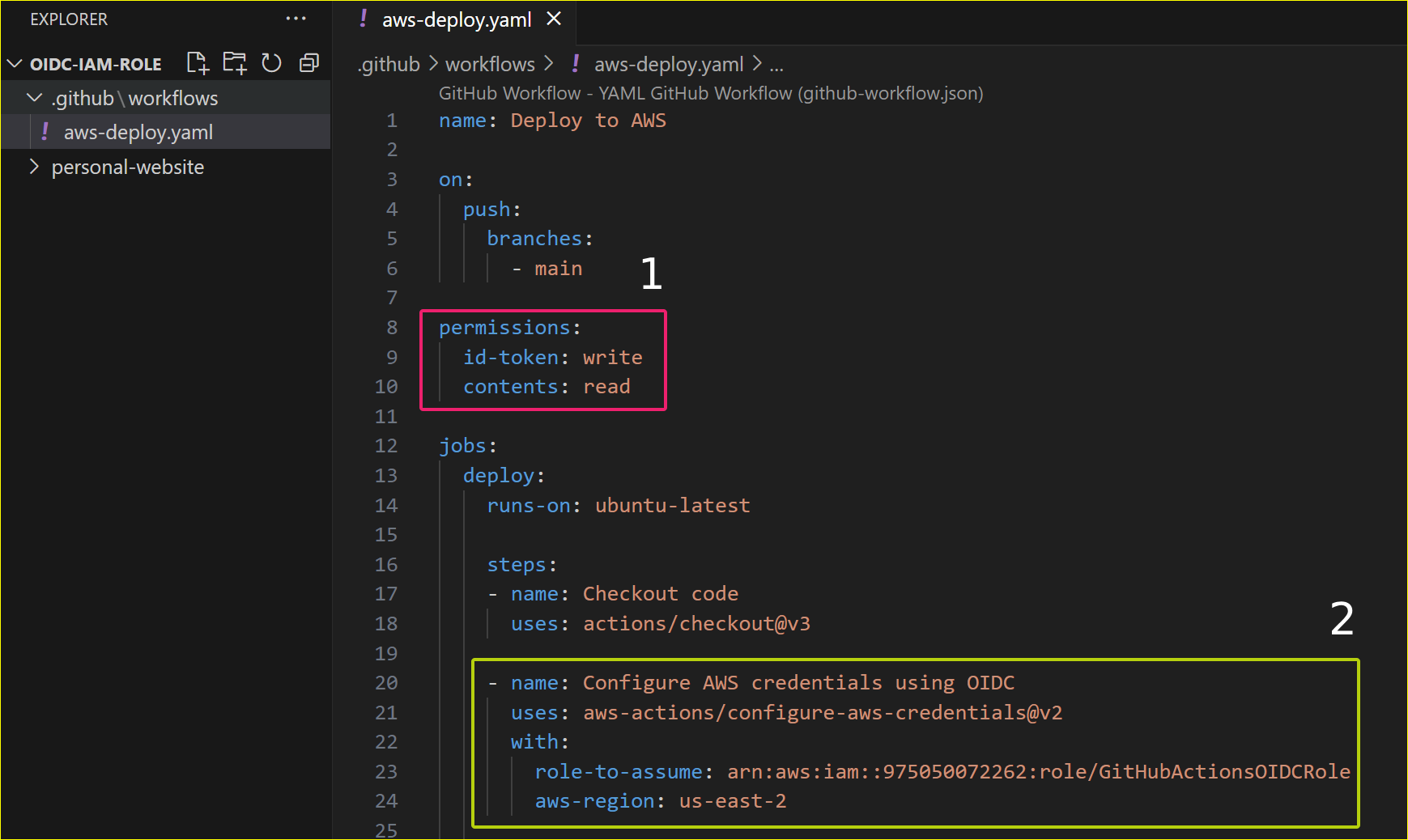
Now, let’s clone the repository and create a GitHub Actions Workflow:
To access AWS resources, the workflow requires two settings:
-
Permissions to obtain an ID token
-
A job step to assume the previously created OIDC role, allowing the workflow to authenticate and receive temporary AWS credentials.
Deploying to S3Bucket
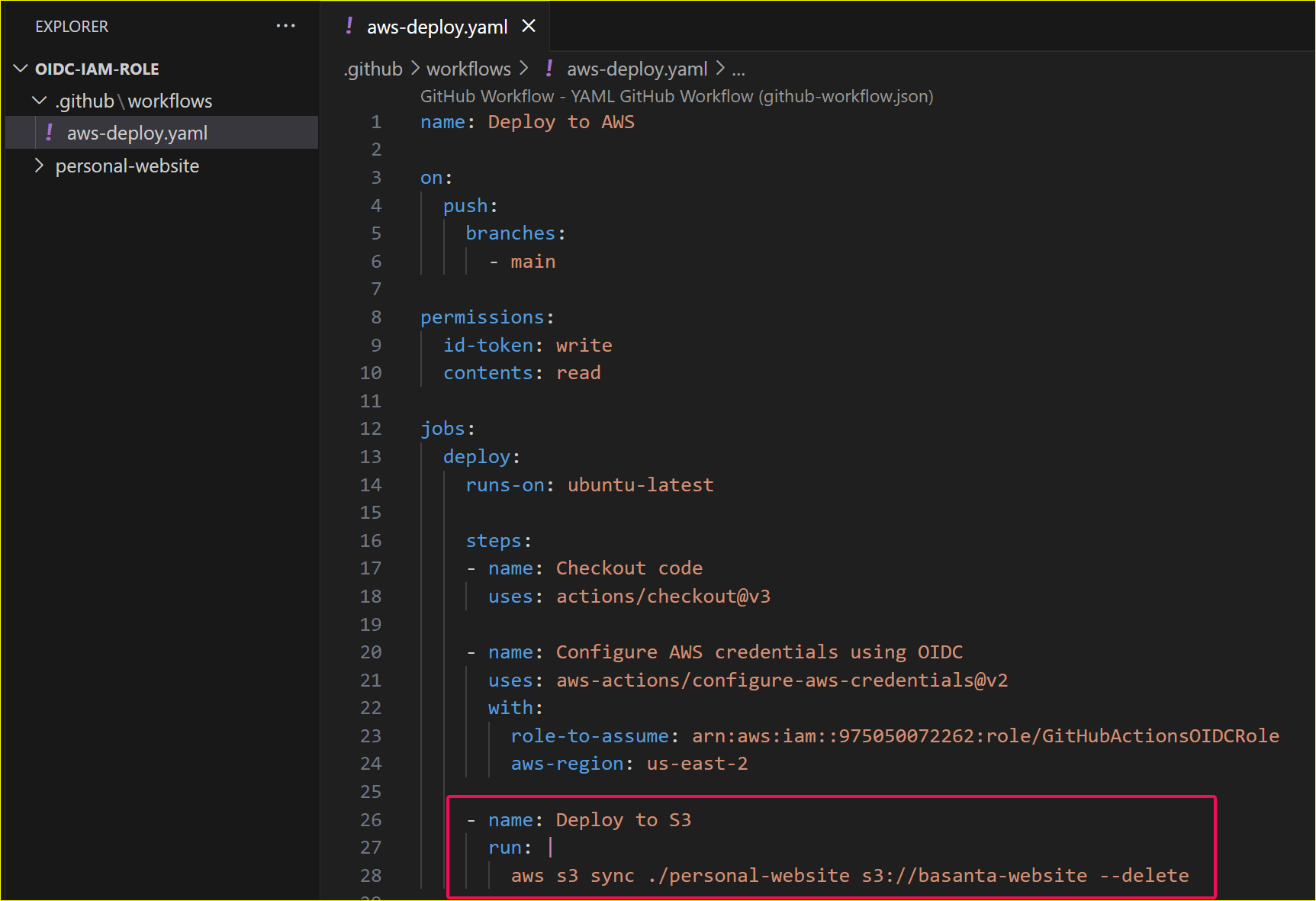
Let’s add another step, for example: Deploy static web contents inside my local directory ‘personal-website’ to S3Bucket. Successful execution of this step ensures authentication to AWS service with S3Bucket Full Access Policy.
Running the Workflow
After the workflow is created, commit the code and push it to the remote repository.
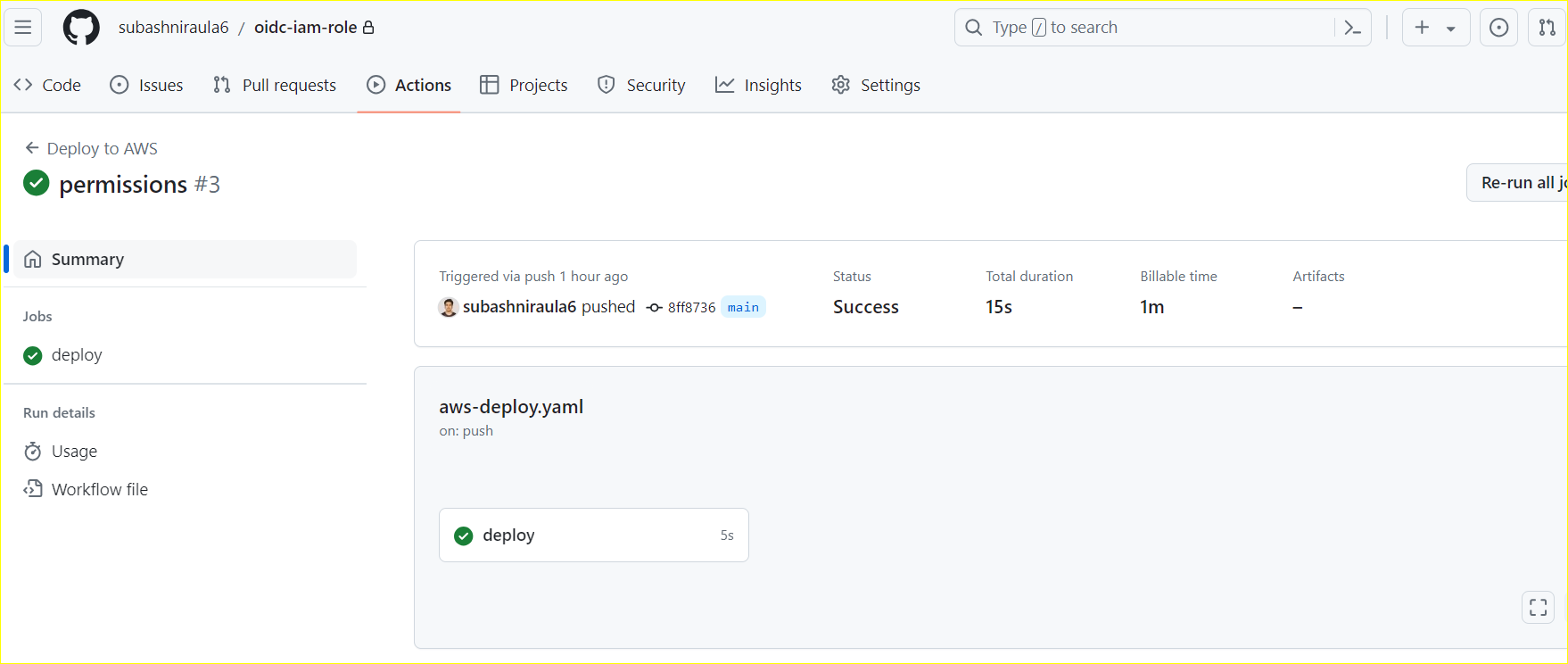
As soon as the change is pushed to the remote repository, GitHub Actions will trigger. This is because GitHub Actions is enabled by default in any GitHub repository.
Let’s observe the output:
Confirming the Deployment
Confirm the static files uploaded in S3Bucket.
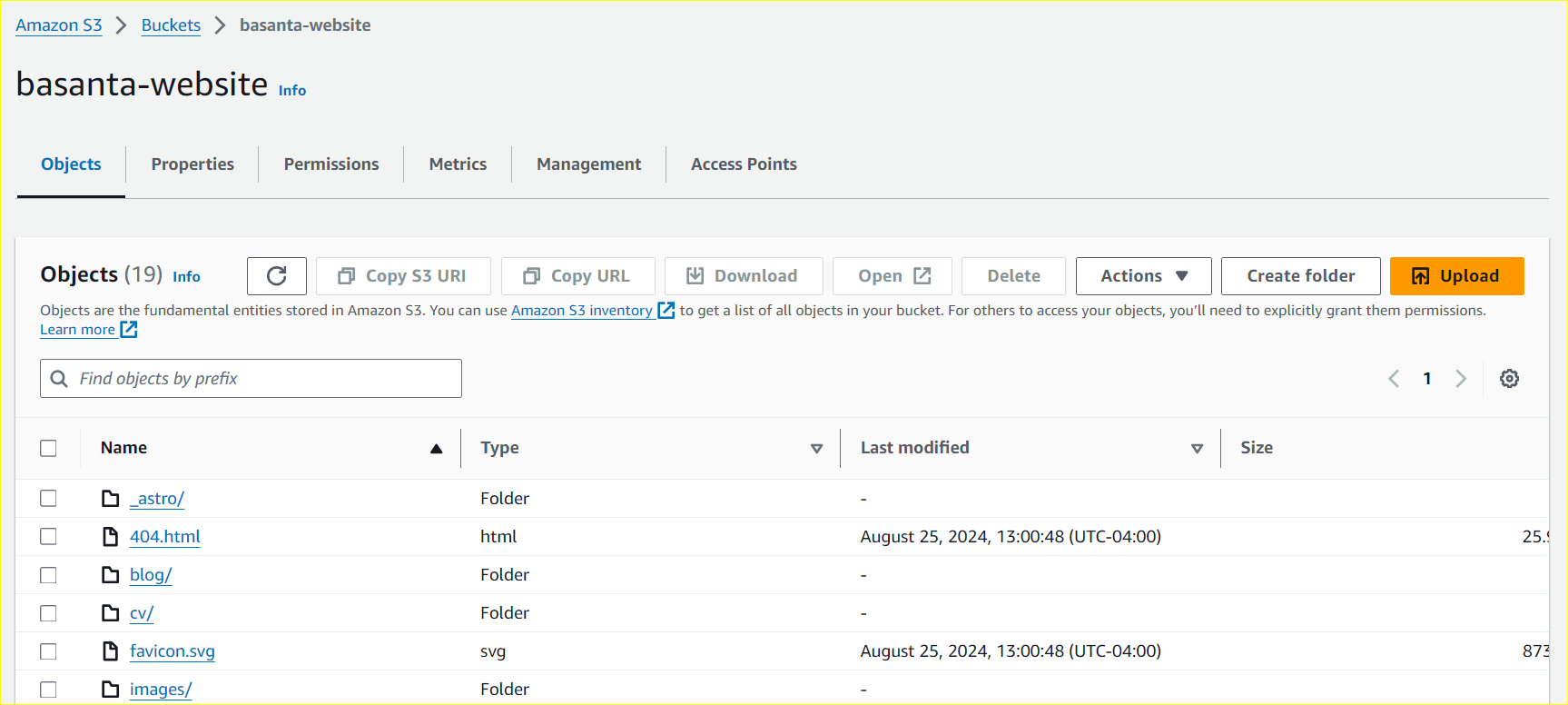
Hence, integrating Github Actions with OIDC is simple and secure way to connect to Cloud Services like AWS.
To learn more about configuring S3 bucket static website hosting, Continue reading …
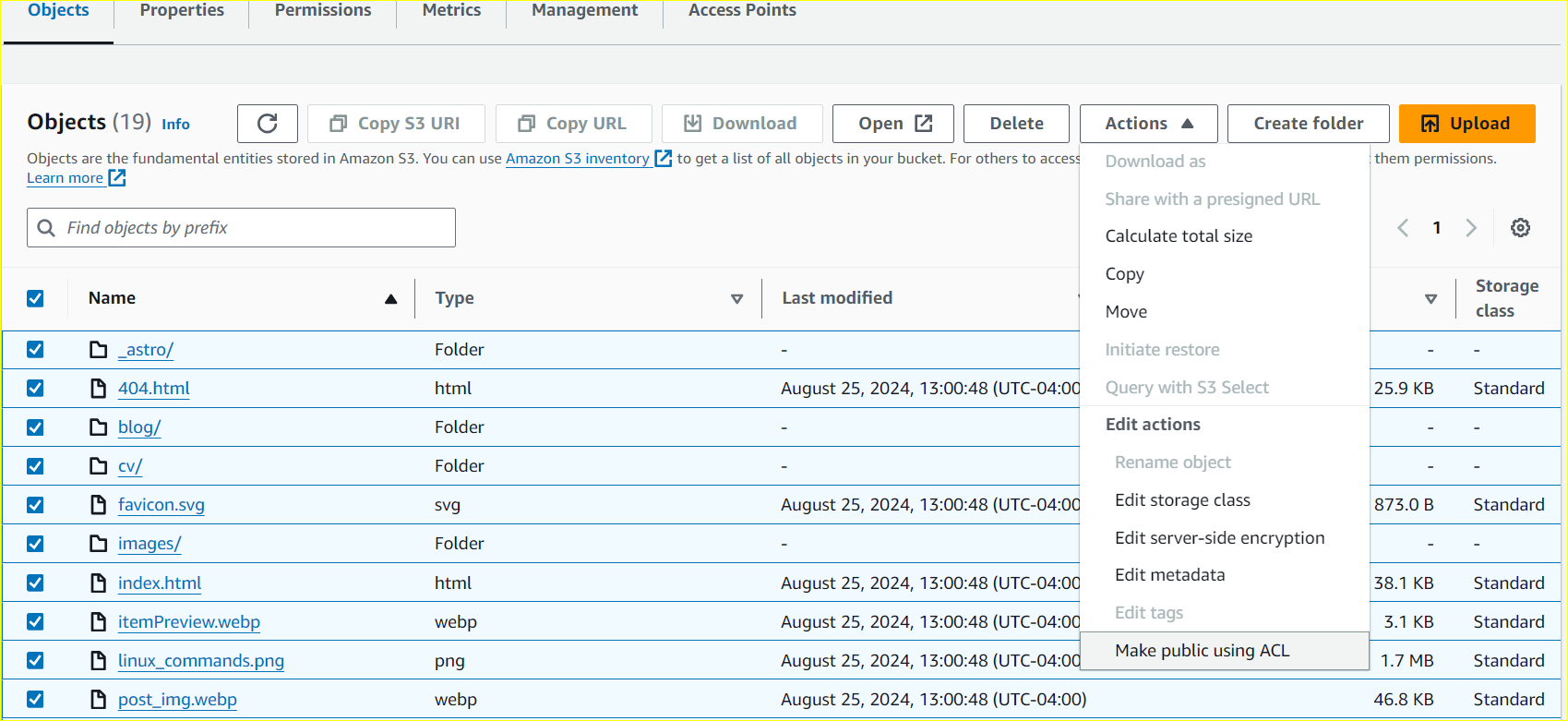
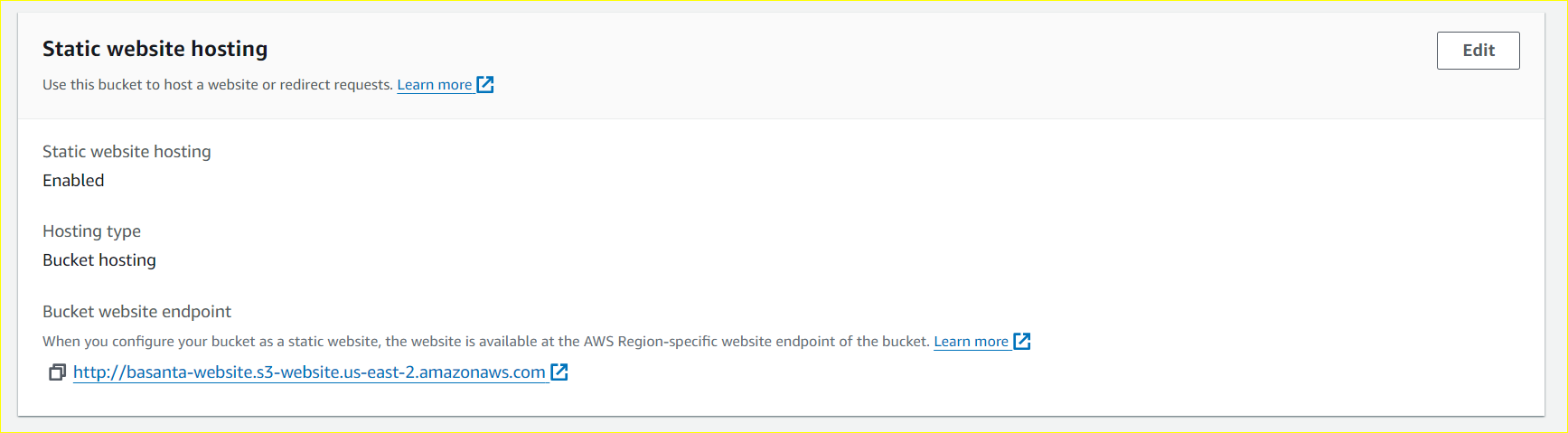
Key steps include:
- Enabling ACL
- Enable static website hosting for the bucket
- Make files public with ACL.

With the files now public and static website hosting enabled, our content is live and accessible via the URL provided by S3.
Moving forward, any committed changes will be automatically deployed to S3. This entire process remains secure, eliminating the need to store AWS credentials in GitHub, thanks to AWS IAM Roles and OIDC.
To maximize security, we should follow few practices like:
- Use Fine-Grained Permissions
- Grant only the minimum necessary permissions.
- Avoid overly broad IAM policies like AdministratorAccess.
- Restrict Access to Specific Repositories
- Ensure the IAM trust policy only allows access from approved GitHub repositories.
- Enable Logging and Monitoring
- Use AWS CloudTrail to track authentication events.
- Set up alerts for unusual activity.
- Regularly Review IAM Role Permissions
- Periodically audit and rotate IAM roles and policies.
Wrapping Up
Thus, utilizing OIDC for AWS authentication in GitHub Actions is a considerably more secure alternative to storing credentials, significantly reducing the risk of leaks.